Publish Contract
Publish the contract in Avalon to make it available in the B2B Portal, allowing Client HR to view the contract details and create new ballots.
Role: Admin
After the Service Reward Type is updated with package(s) and/or promo codes
Balloting Contract Edit
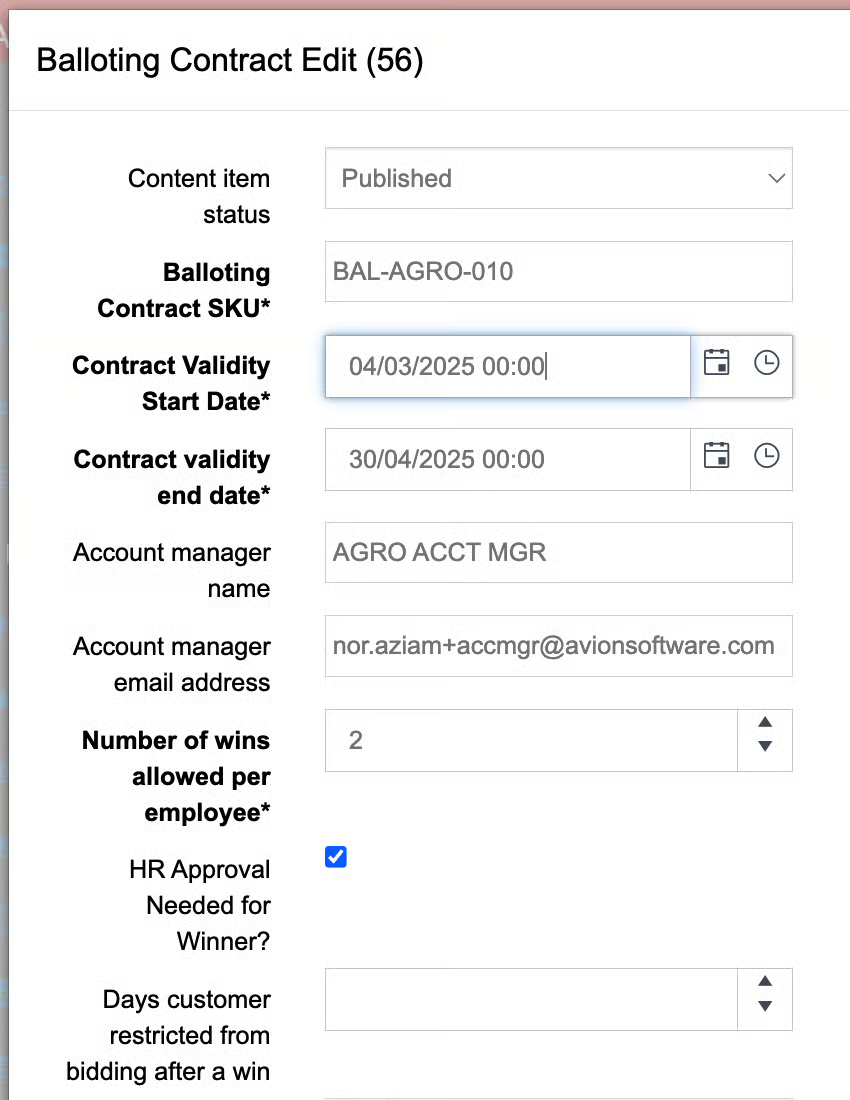
Edit the ballot contract to change the content item status to Published. Admin can also edit the contract validity start and end dates if needed. Click save
Balloting Contract Edit
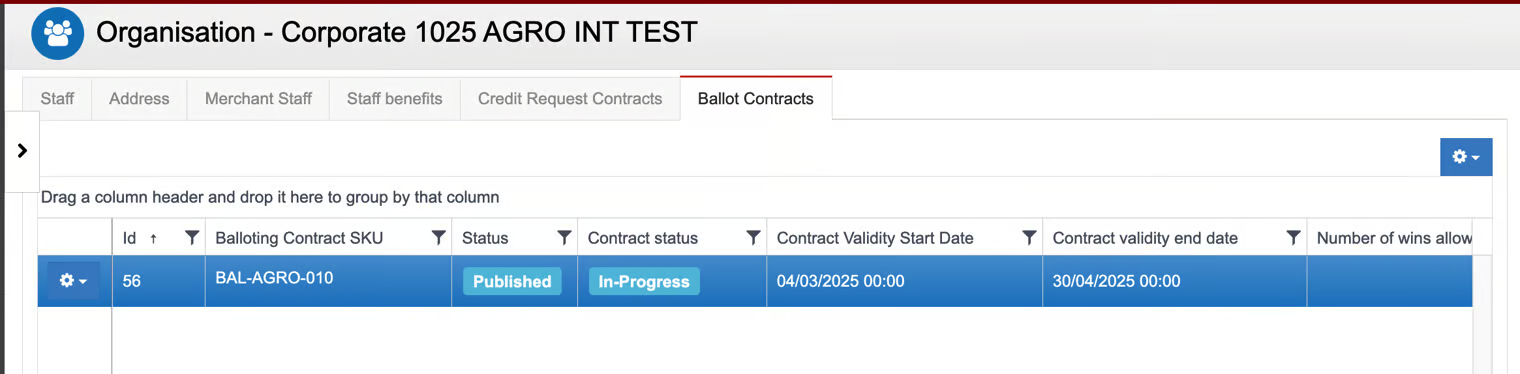
Contract Status: In Progress
The contract content item status has been updated to Published, and the contract status is In Progress.
Email Notification
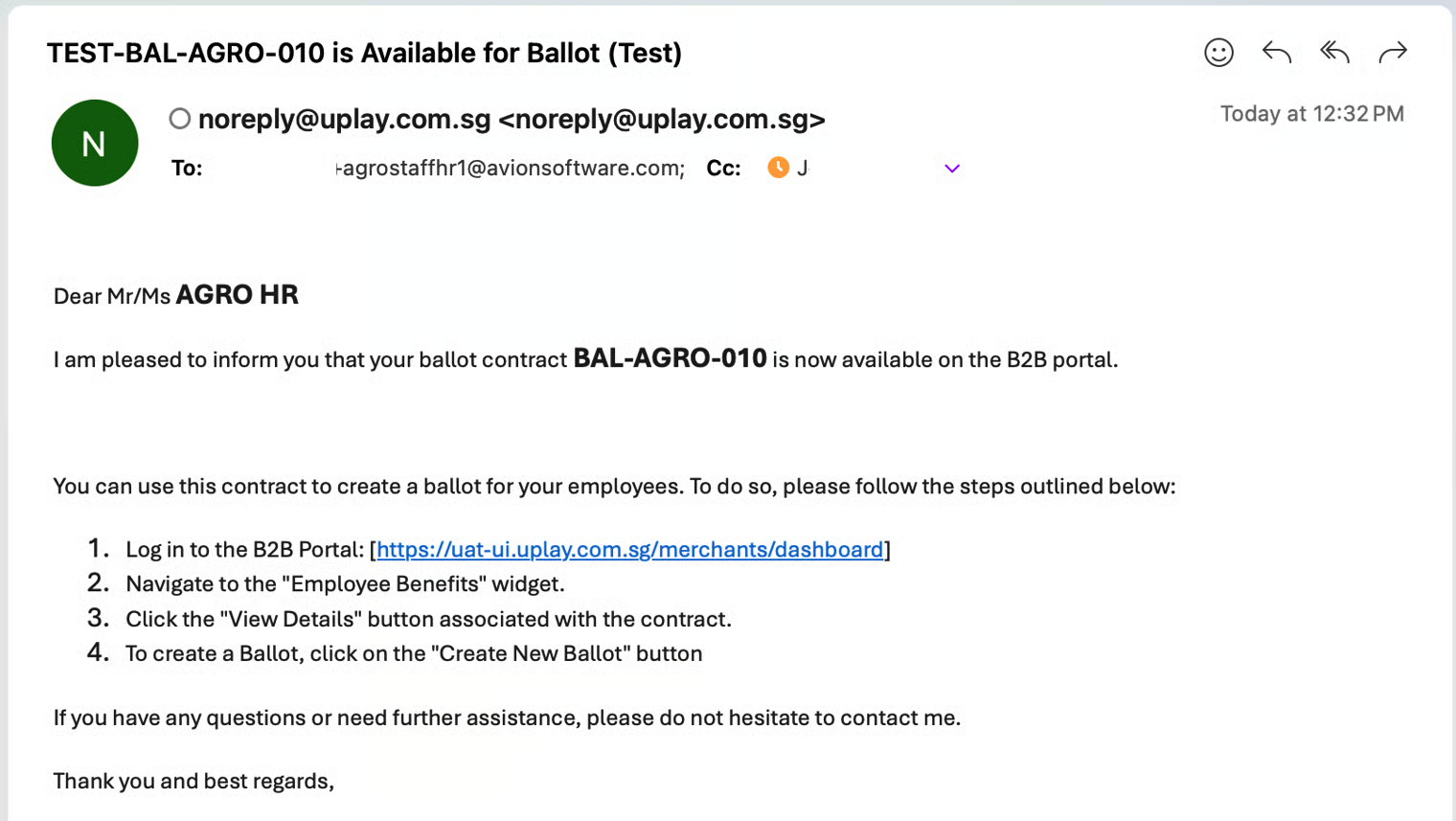
Client HR receives an email notification. Example as below.