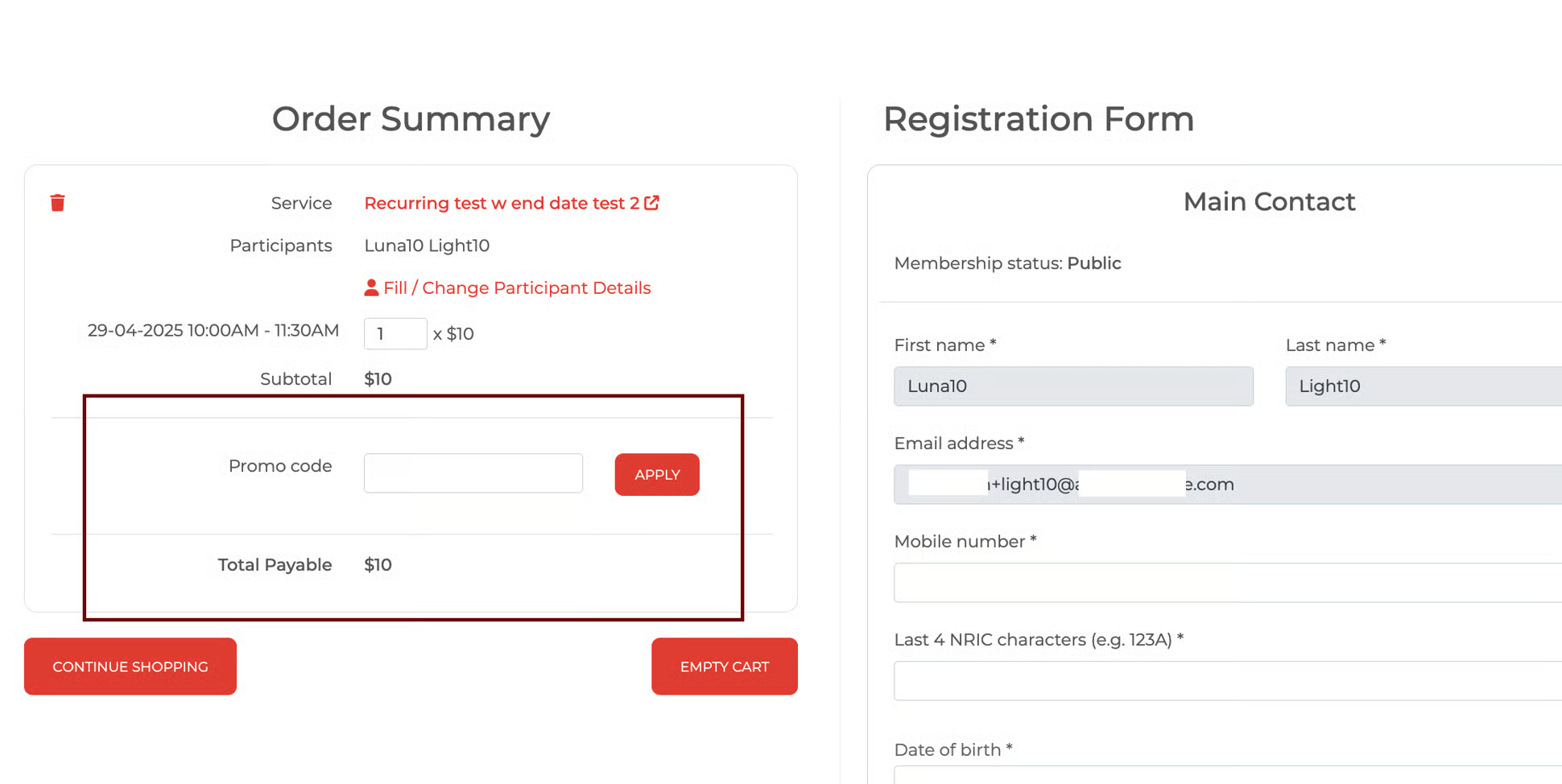
Reward Credits numeric box availability (Checkout page)
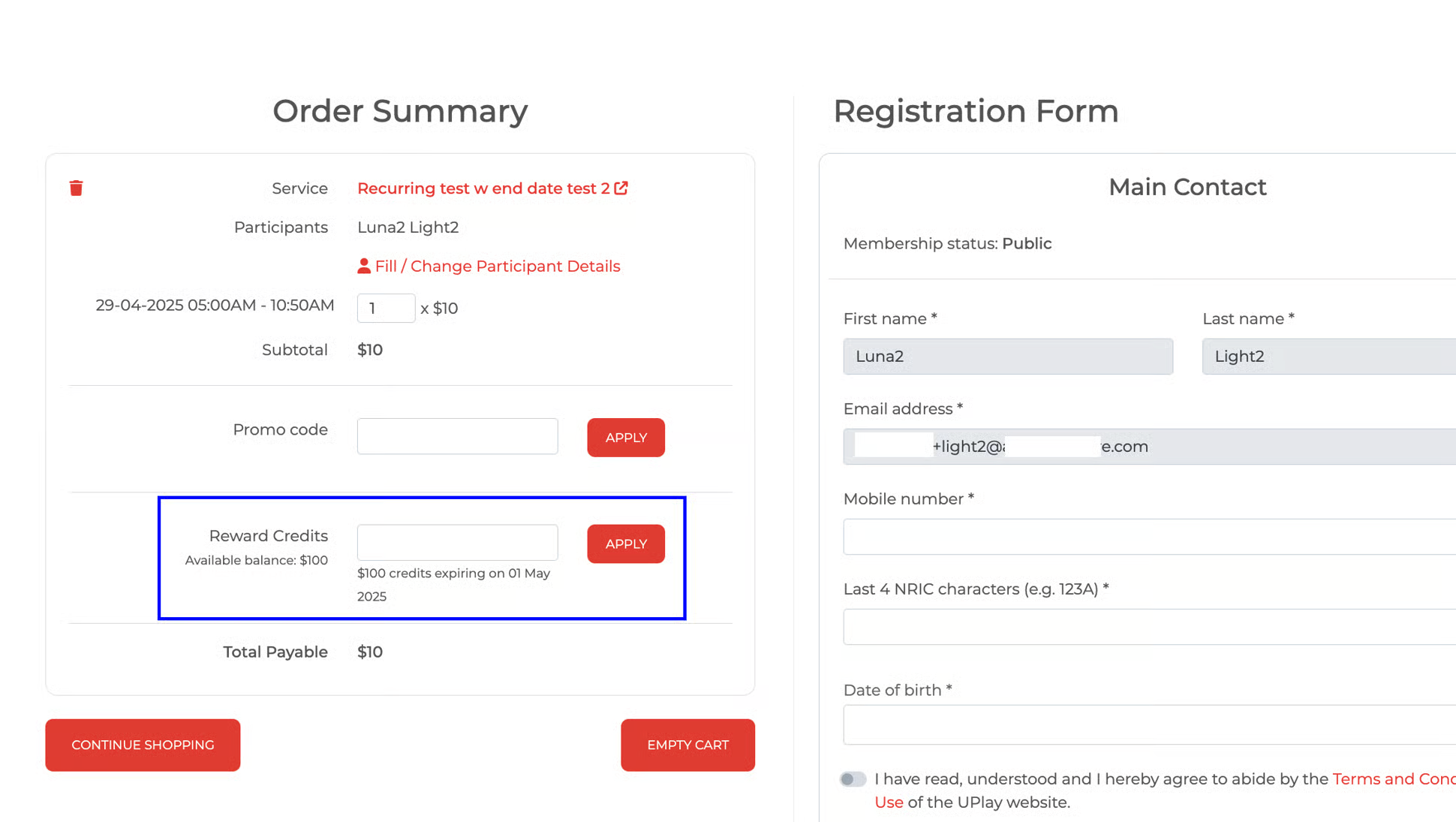
Reward credits numeric box is meant for employees to input an amount of reward credits that they wish to apply to their online purchases.
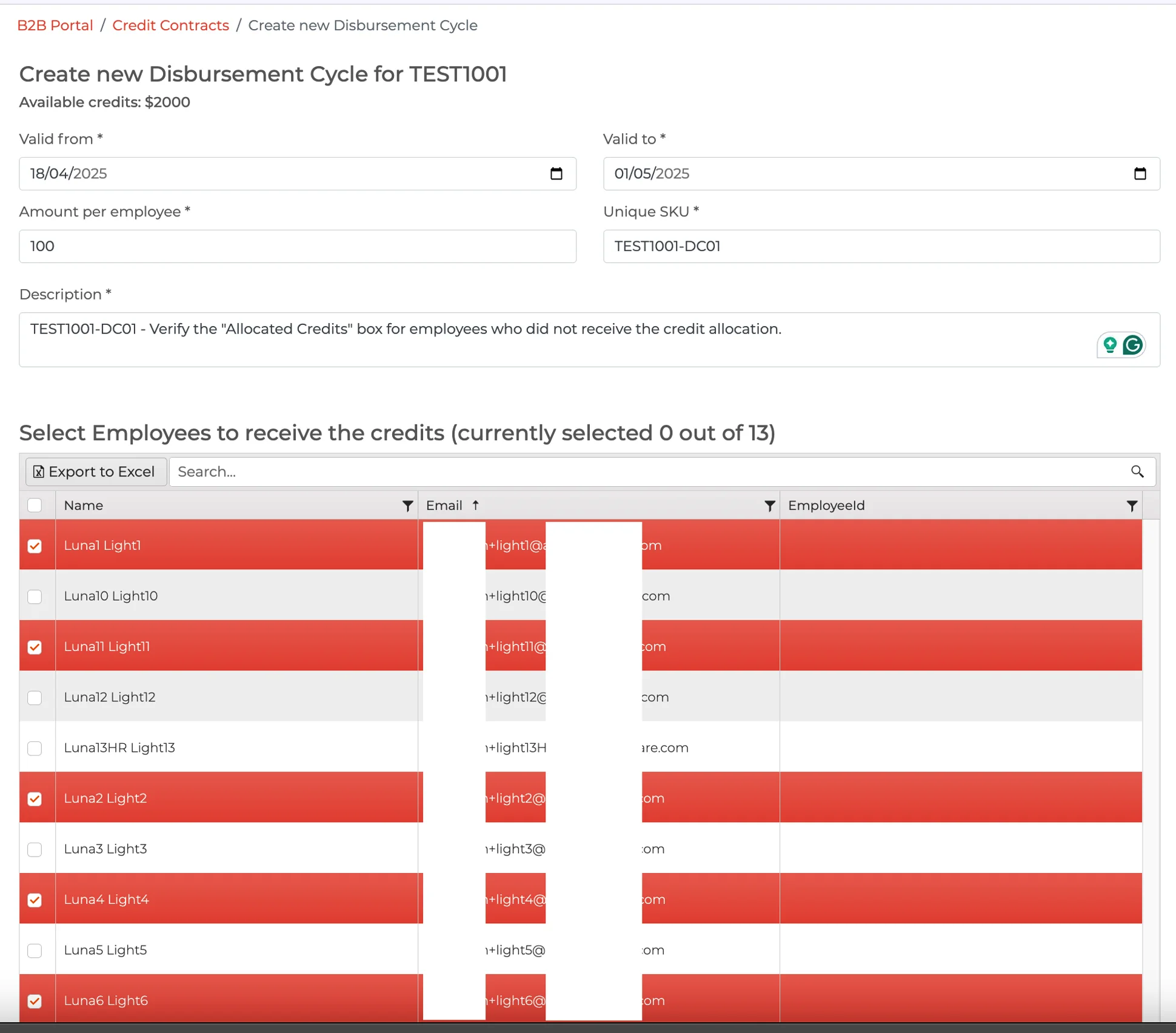
Create DC
Select Employees to receive the credits.
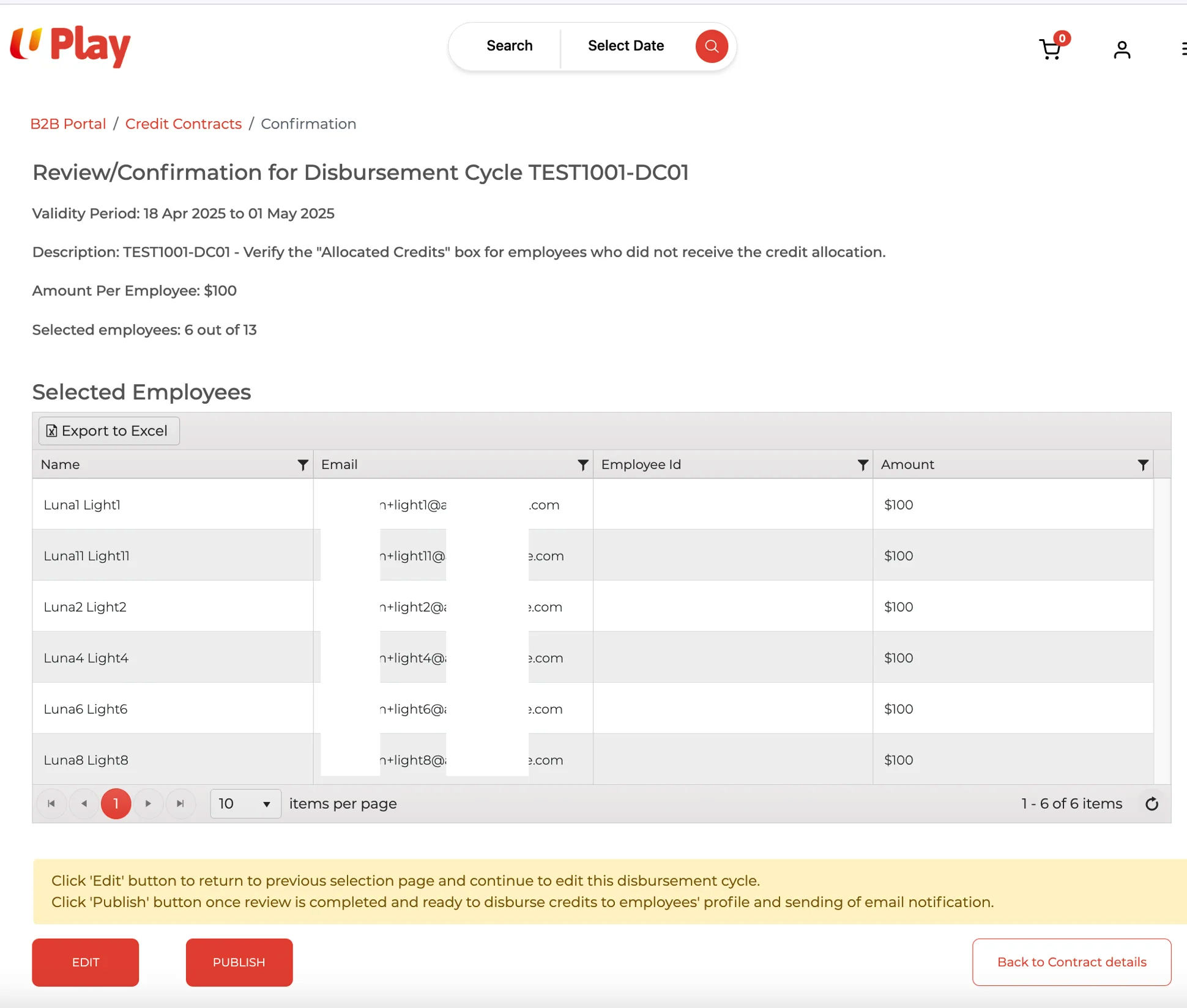
Selected Employees
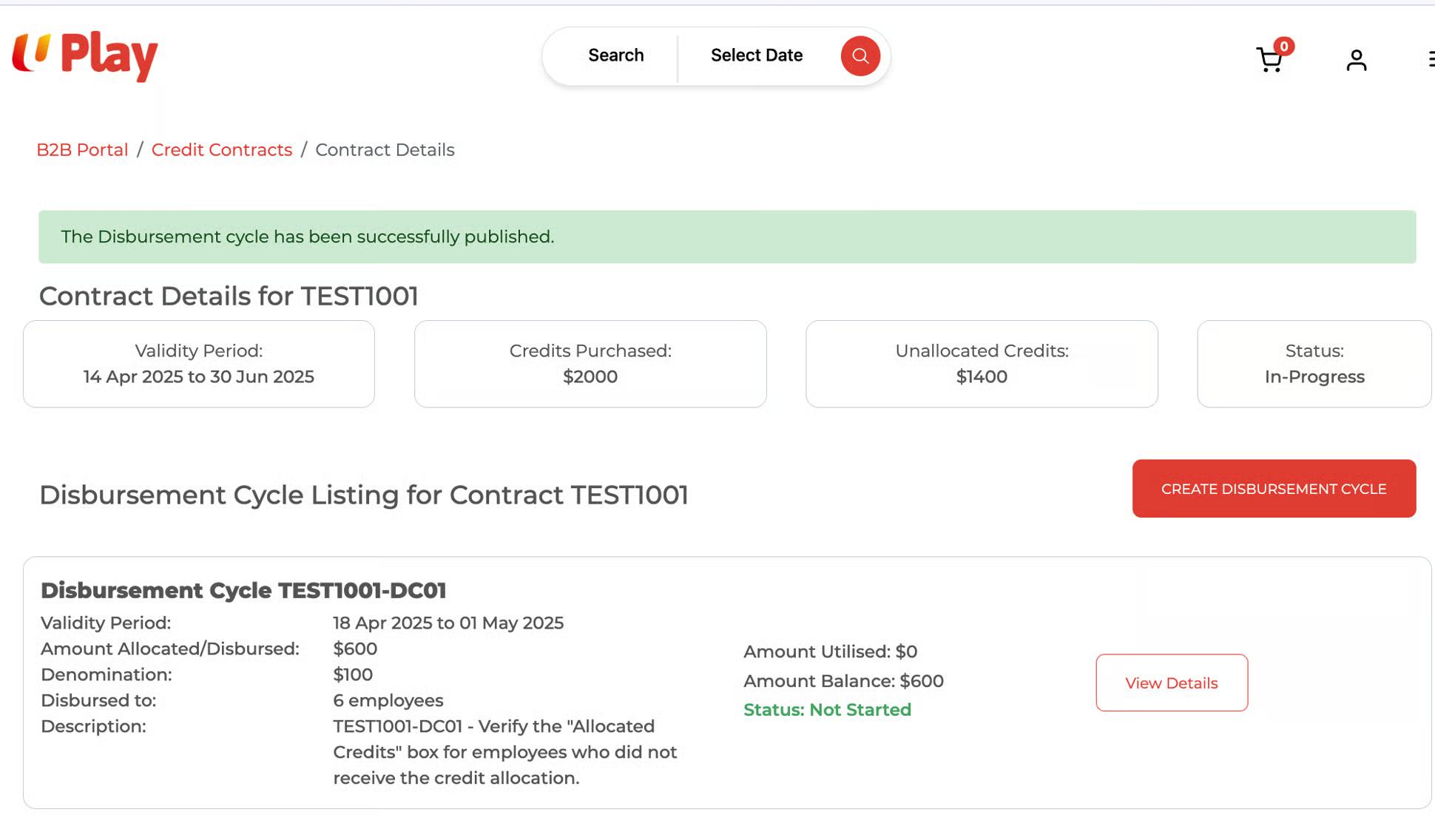
DC Listing
Checkout page
The checkout page display varies for employees who have and have not received reward credits.
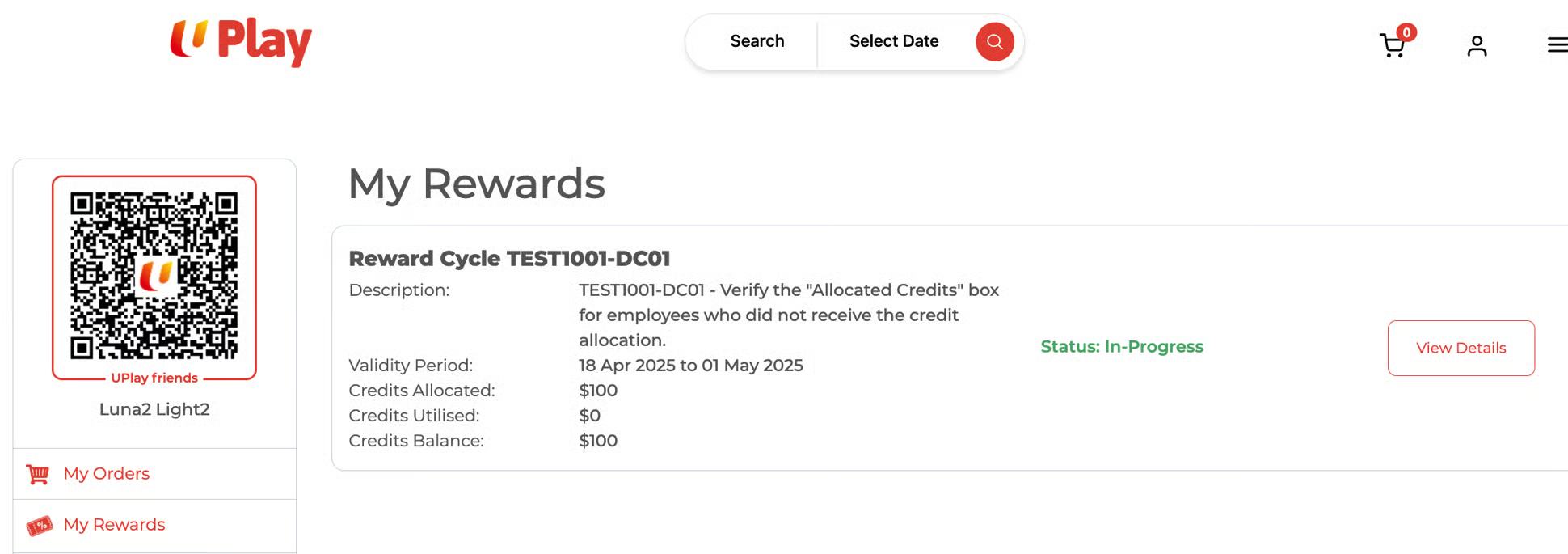
In the examples above, we selected employee Luna2 Light2, who received reward credits, and employee Luna10 Light10, who was not awarded any.
Received reward credits (checkout page)
Employee who received reward credits (Luna2 Light2)
1. My Rewards page
2. Order Summary/Checkout page. Reward Credits numeric box is available.
Not Received reward credits (checkout page)
Employee who did not receive reward credits (Luna10 Light10)
1. My Rewards page
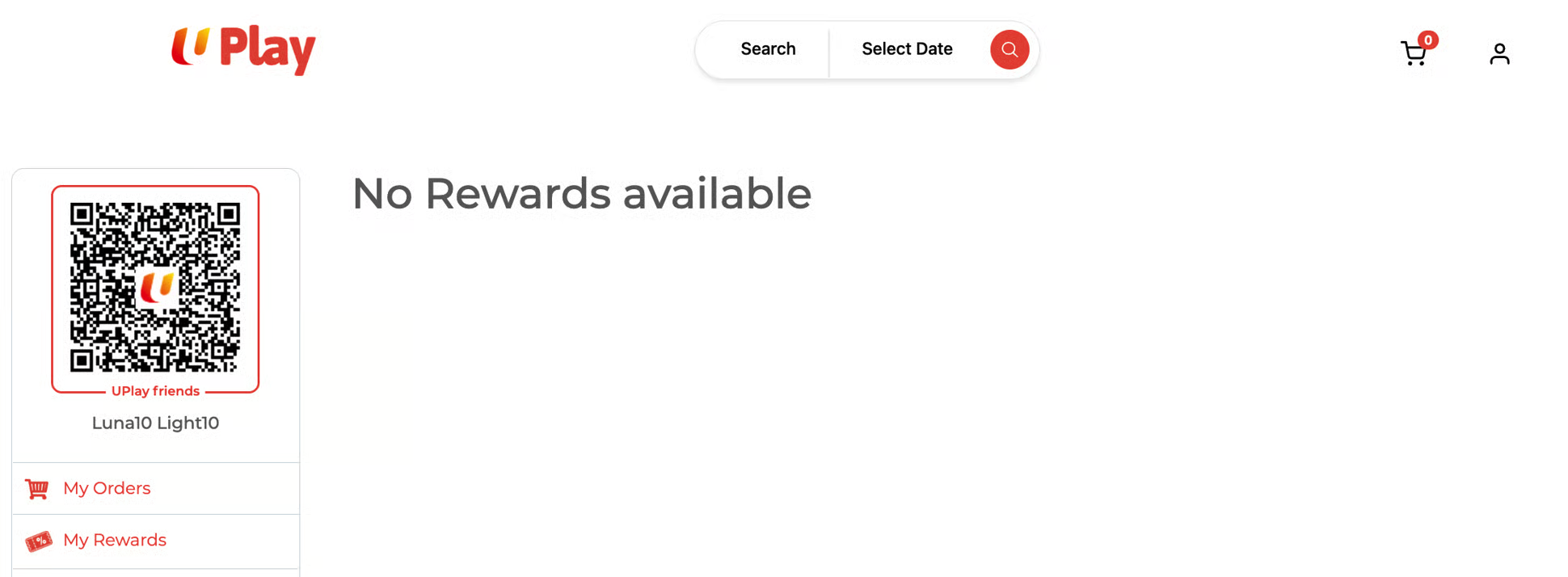
2. Order Summary/Checkout page. Reward Credits numeric box is NOT available.