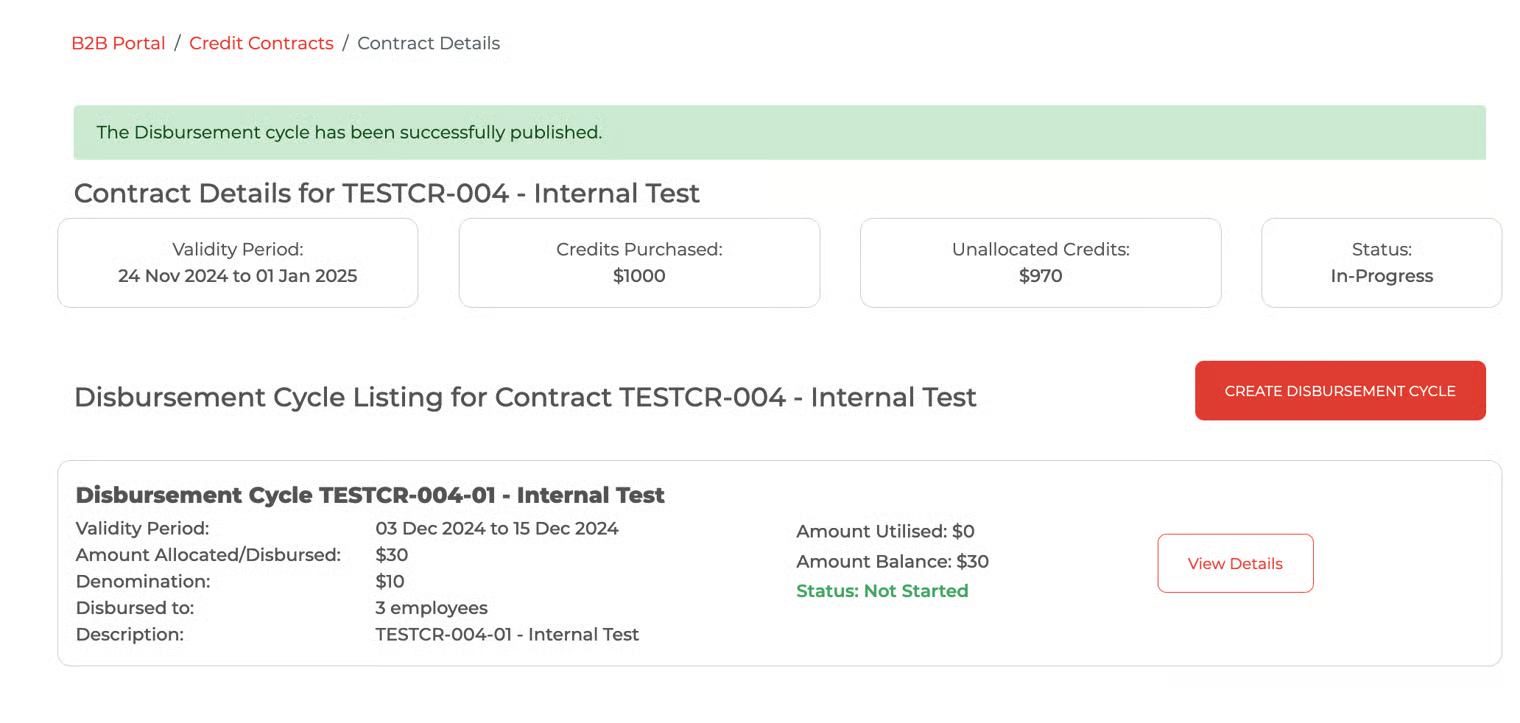
Create & Publish Disbursement Cycle
Applicable to Client HR, process flow through B2B Portal.
Email Notification
After Finance approves the credit release, Client HR receives an email notification regarding the contract and its credit readiness for disbursement cycle creation.
Login to B2B Portal
Client HR logins the B2B Portal (https://www.uplay.com.sg/merchants/merchant-login)
B2B Portal Login
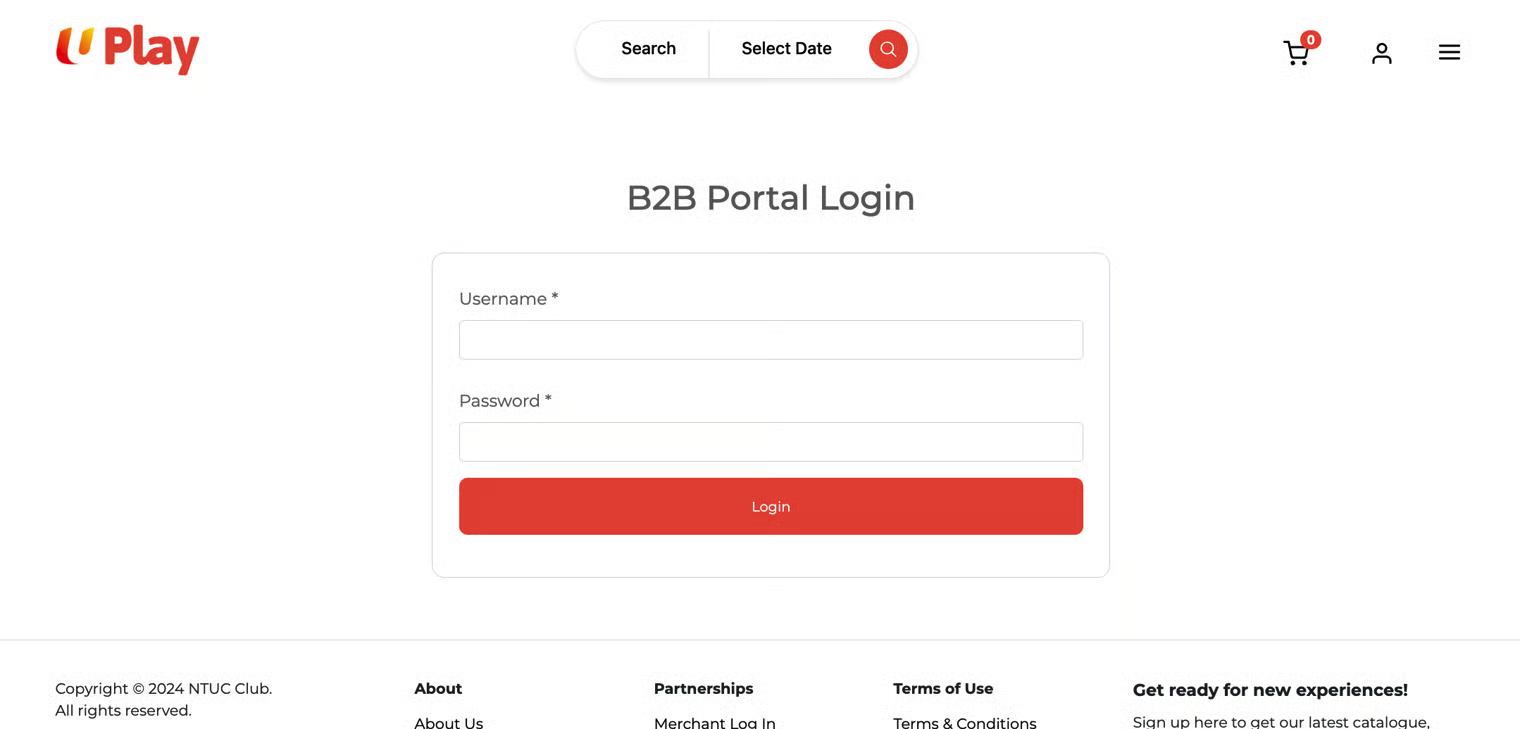
Access B2B Portal
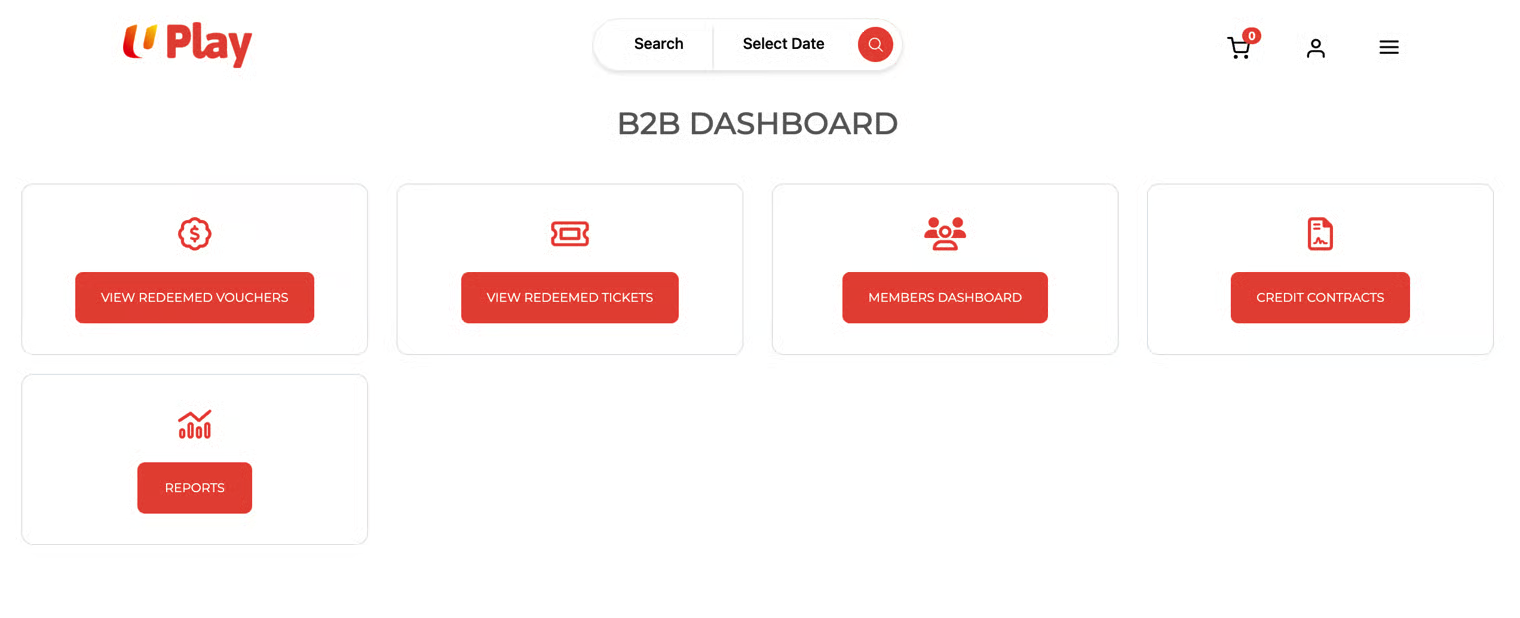
Client HR locates and clicks on the "Credit Contract" widget in the B2B dashboard. A list of credit contracts is available on the credit contracts page for further action by Client HR.
B2B Dashboard - Credit Contracts and Reports widgets
Credit Contract Status
Credit Contract Page
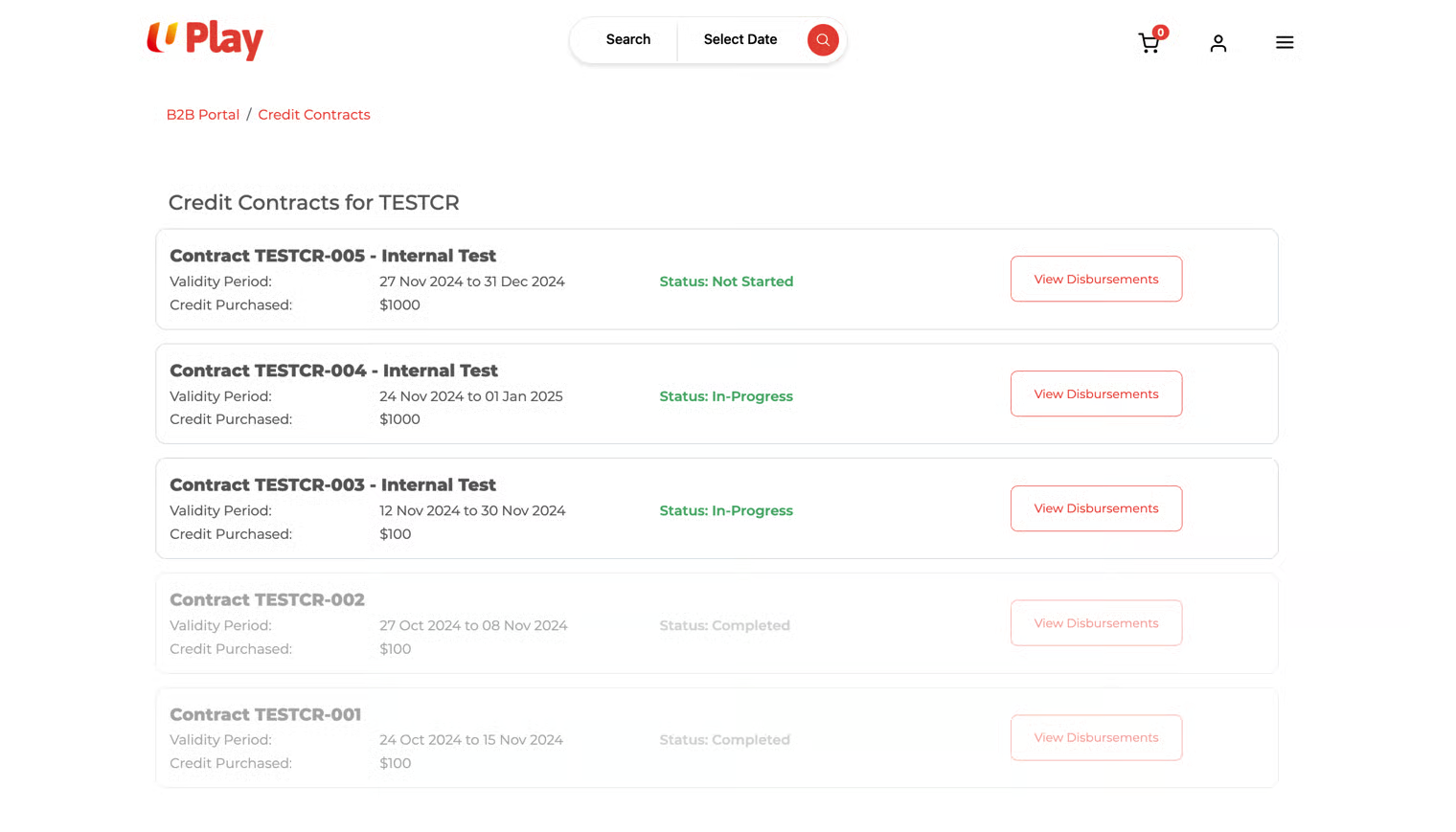
There are three types of contract status
Status | Description |
|---|---|
Not started | a) These contracts are valid for the creation of a disbursement cycle. b) They are within the validity period. c) Contract has not yet started (the start date is a future date). d) 'Create Disbursement Cycle' is available on the Contract Details page. |
In-Progress | a) These contracts are valid for the creation of a disbursement cycle. b) They are within the validity period. c) Contract has begun (the start date can be a past date or today's date). d) Status remains 'In Progress' regardless of whether the purchased credits are fully allocated as long as the contract is valid (within the validity period). e) The user can access the contract by clicking the 'View Disbursement' button. f) 'Create Disbursement Cycle' is available on the Contract Details page. |
Completed | a) These contracts have ended or expired b) The user can access the contract by clicking the 'View Disbursement' button. c) No 'Create Disbursement Cycle' button on the Contract Details page. d) The user can access and view details of each disbursement cycle. e) There is no option to edit the contract or disbursement cycle. |
Credit Contract Detail
Click the 'View Disbursement' button to access the contract details page.
Client HR can view and verify the following details:
Contract SKU
Validity Period
Credits Purchased (amount)
Unallocated Credits (amount) -> refer to the credit balance after creating disbursements.
Status: [Not Started/In-Progress/Completed]
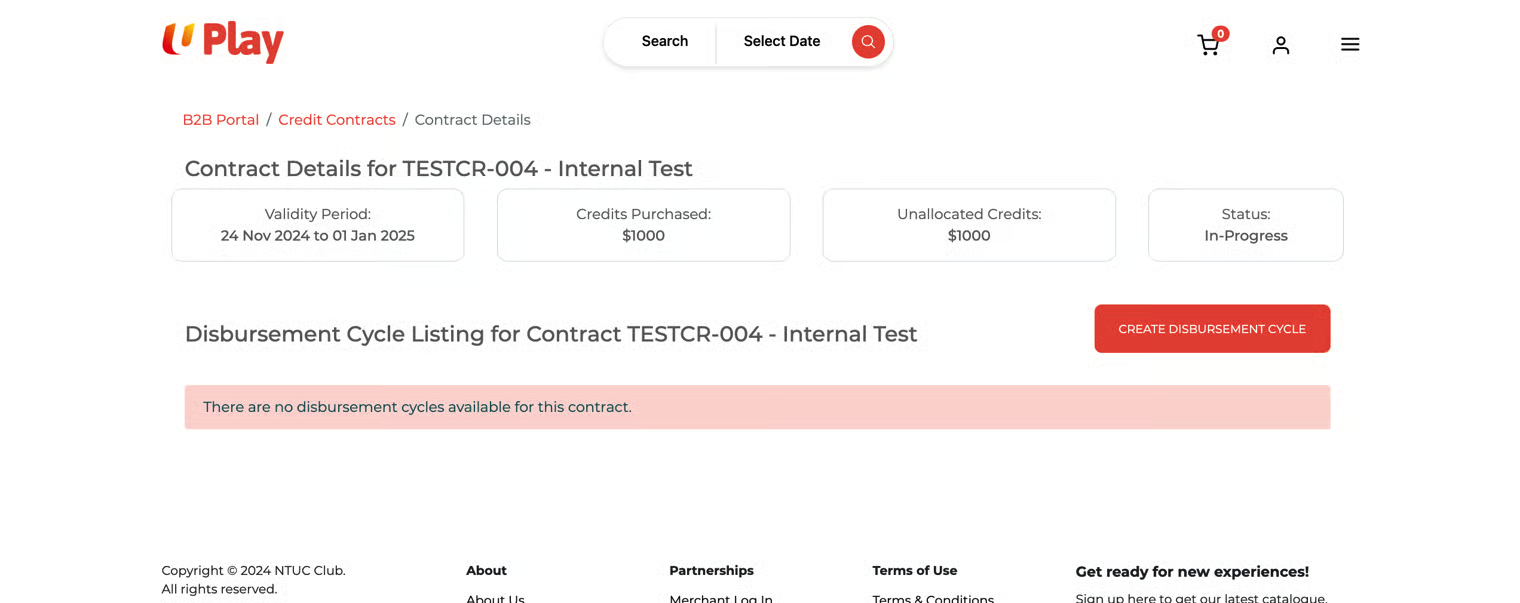
A list of disbursement cycles that was created for that contract.
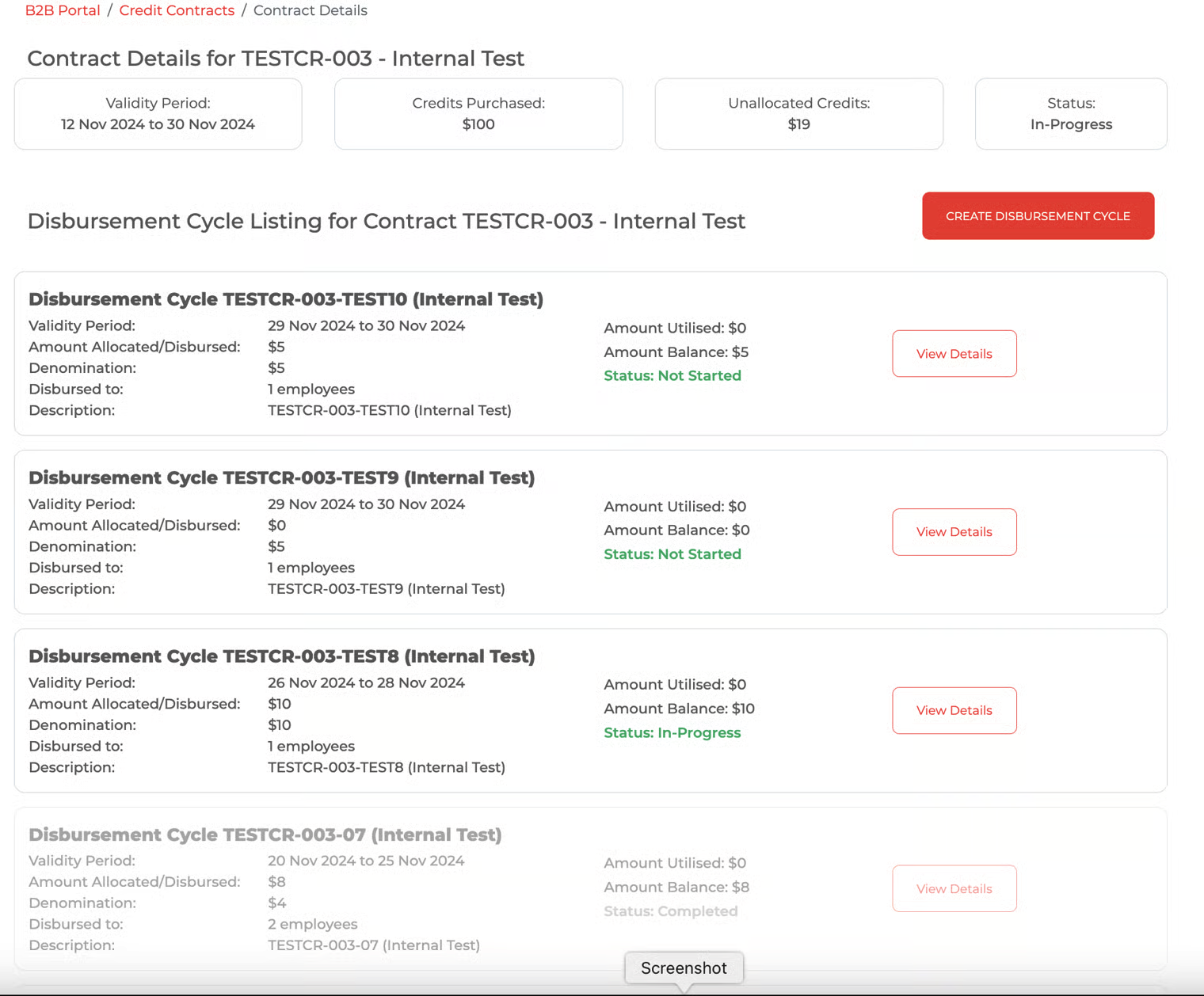
If multiple disbursement cycles are under one contract (a mix of the draft, in progress, and completed), the contract status is 'In Progress'.
Contract Details page
Contract Details Page - Multiple Disbursement Cycles and their respective status
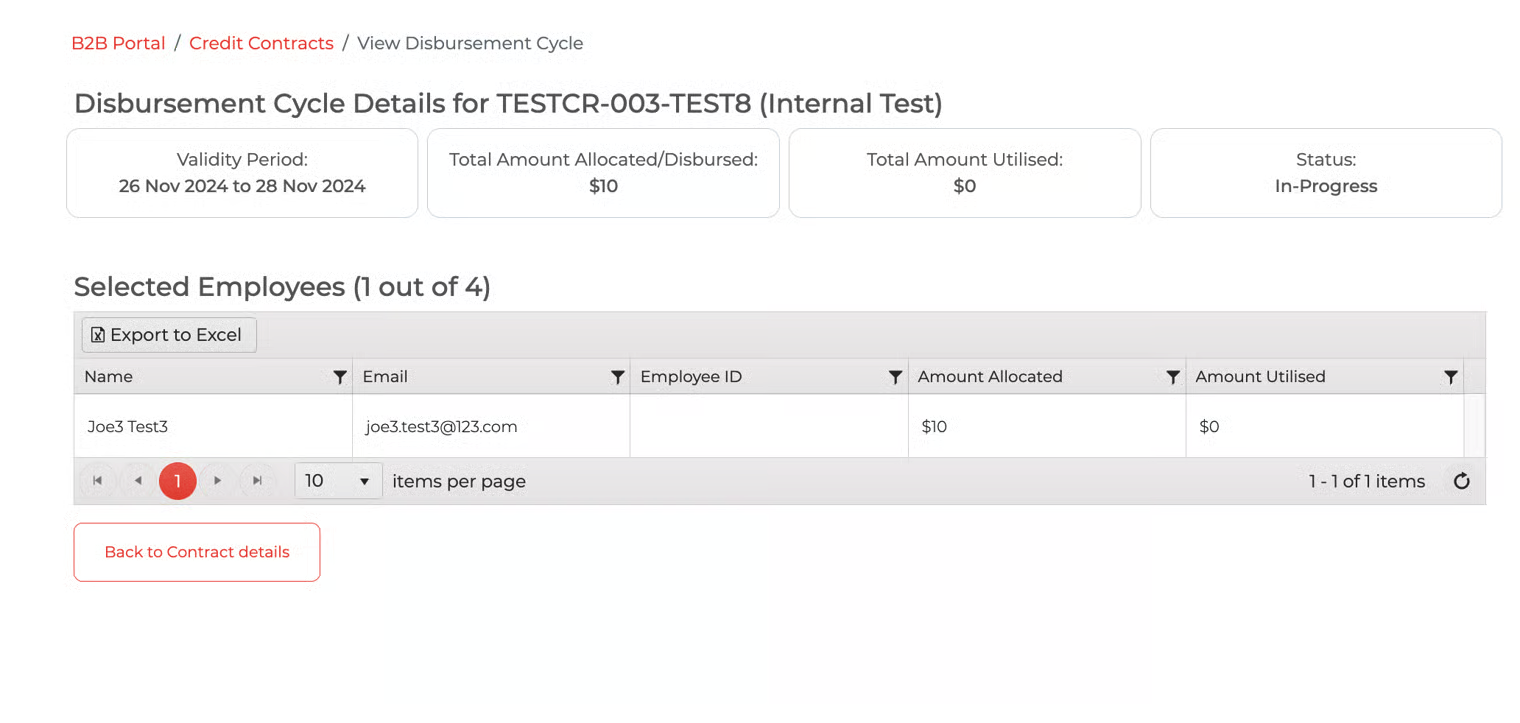
View Disbursement Details
If there is an existing disbursement cycle, click on the 'View Details' button associated with that disbursement cycle to access the 'View Disbursement Cycle' page. Client HR can view and verify the following details:
Disbursement Cycle SKU
Validity Period
Total Amount Allocated/Disbursed (amount)
Total Amount Utilised (amount)
Status: [Not Started/In-Progress/Completed]
Selected Employees
Name, Email, Employee ID, Amount Allocated, Amount Utilised
View Disbursement Cycle page
Create Disbursement Cycle
Client HR clicks on the 'Create Disbursement Cycle' button on the contract details page and updates the following details:
Valid From: * [disbursement cycle start date]
Valid To: * [disbursement cycle end date]
Amount Per Employee: *
Unique SKU: * [disbursement cycle unique SKU - free text]
Description: * [disbursement cycle description - free text]
Select Employees to receive the credits : [These are the employees of the organization, created in Avalon]
Create Disbursement Cycle
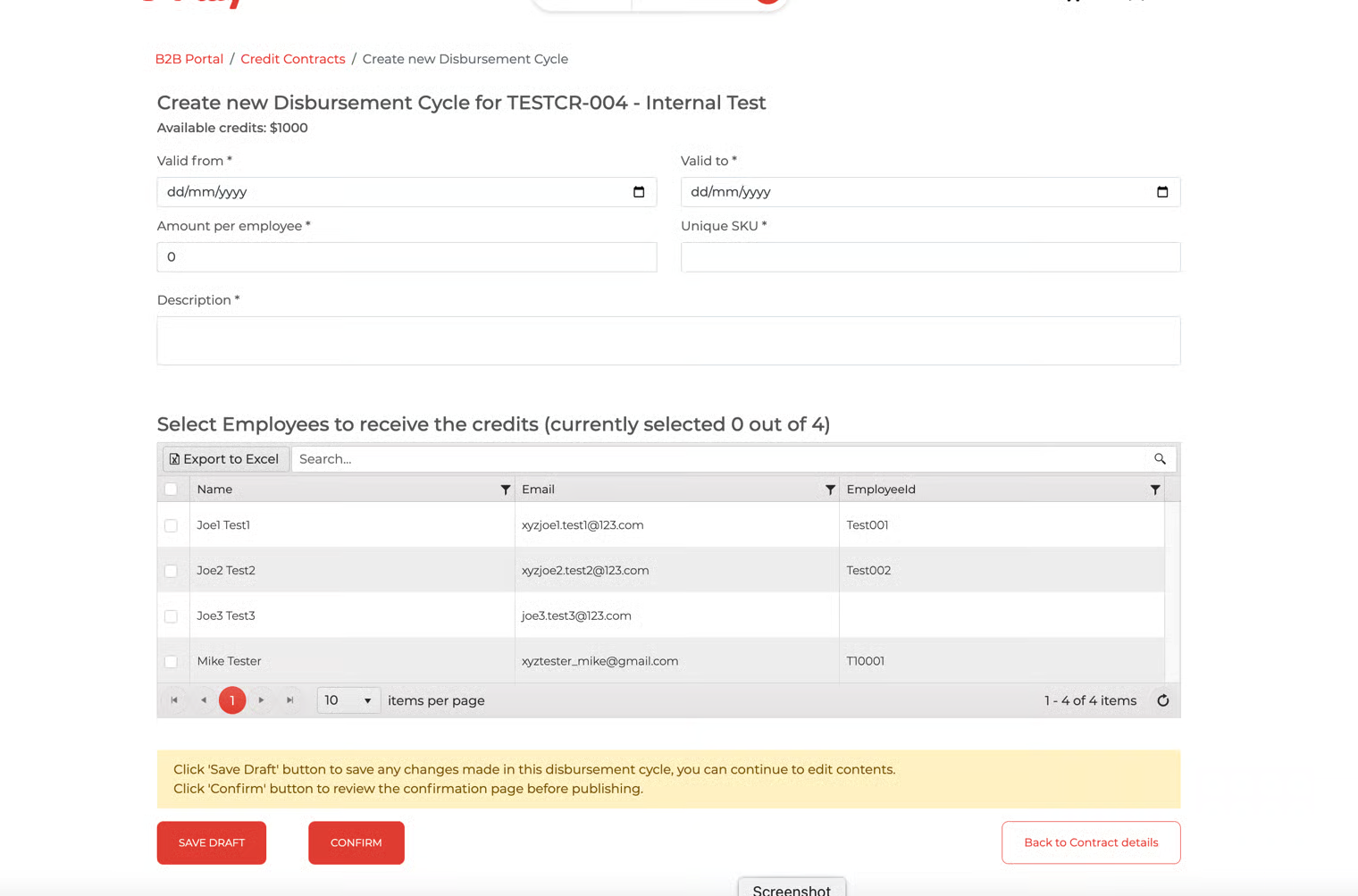
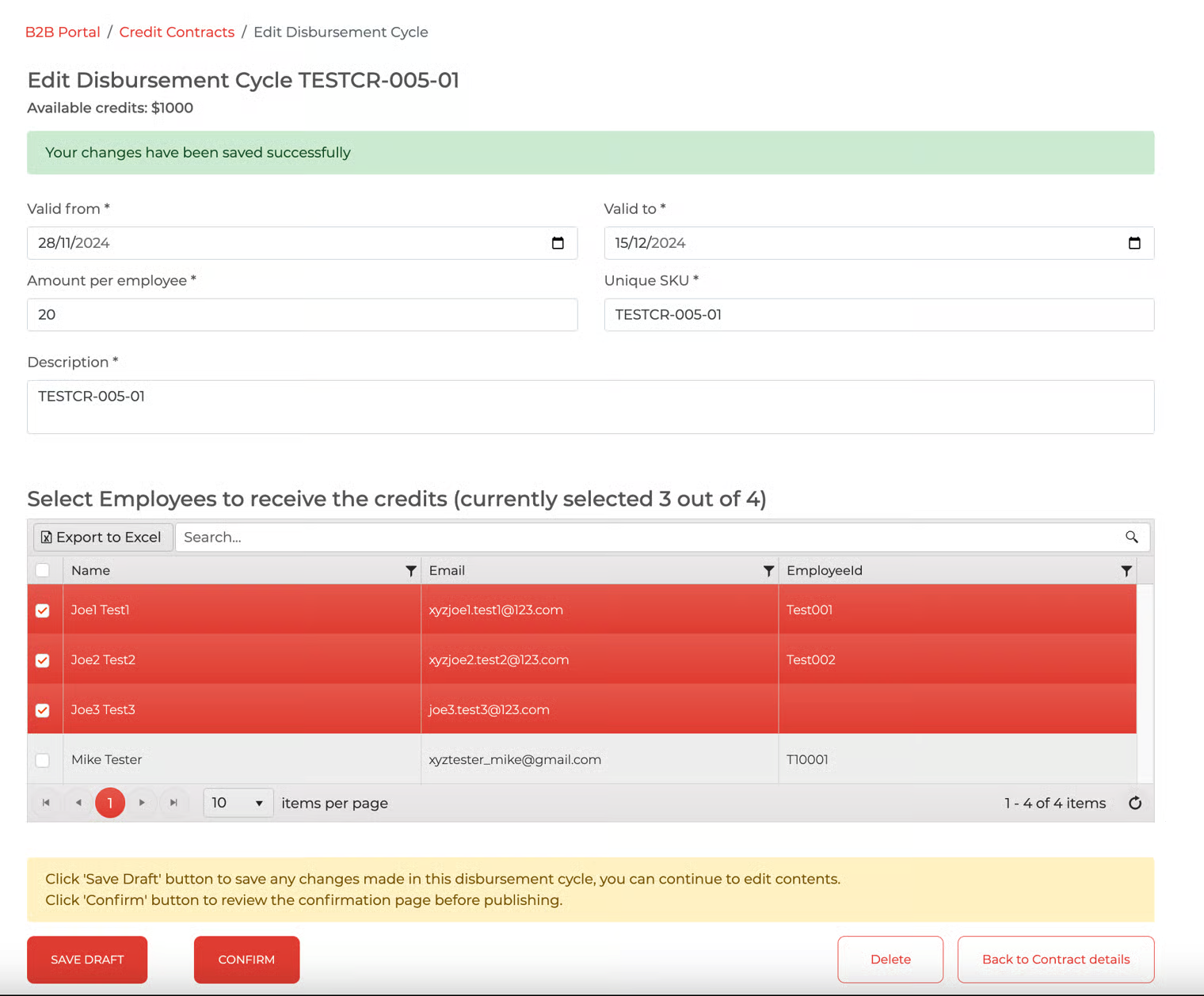
Client HR can save the disbursement cycle as a draft or click the 'confirm' button to proceed.
Disbursement cycle status = Not Started
At this stage, client HR can still edit the disbursement cycle.
Disbursement Cycle saved as Draft
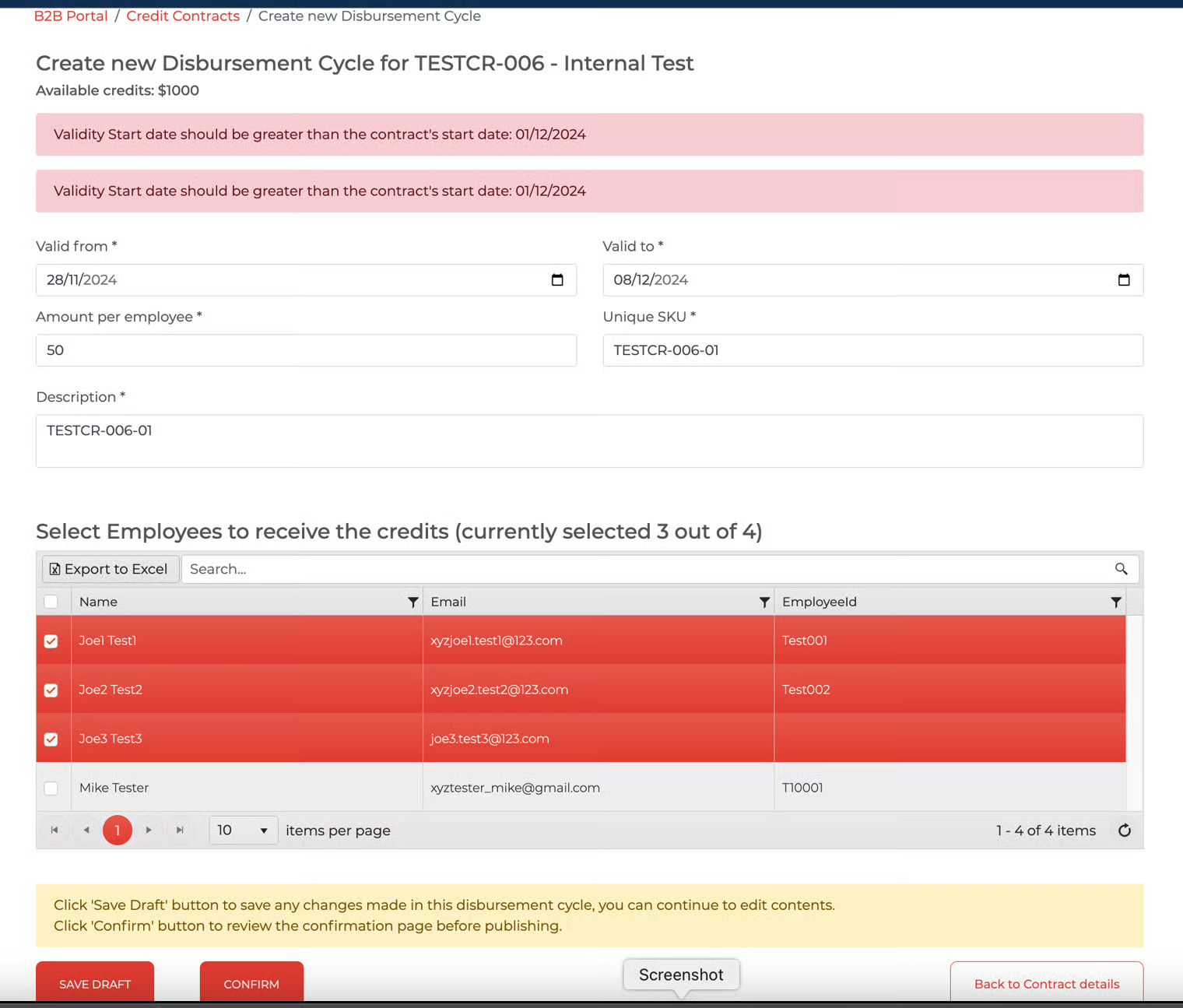
Disbursement Cycle is not allowed to be created if the start date is earlier than contract start date
Publish Disbursement Cycle
Client HR clicks the 'confirm' and 'publish' buttons to release the credit allocation to the selected employees.
Disbursement cycle status = Not Started
At this stage, client HR can no longer edit the disbursement cycle.
The status of the disbursement cycle changes to 'In-Progress' on the day of the start date.
Disbursement cycle published