Credit Request Contract Emails
Applicable to the Finance team, Client HR and Client Employees
Email communication setup
Three types of email communication setup
A. UPlay Finance Team
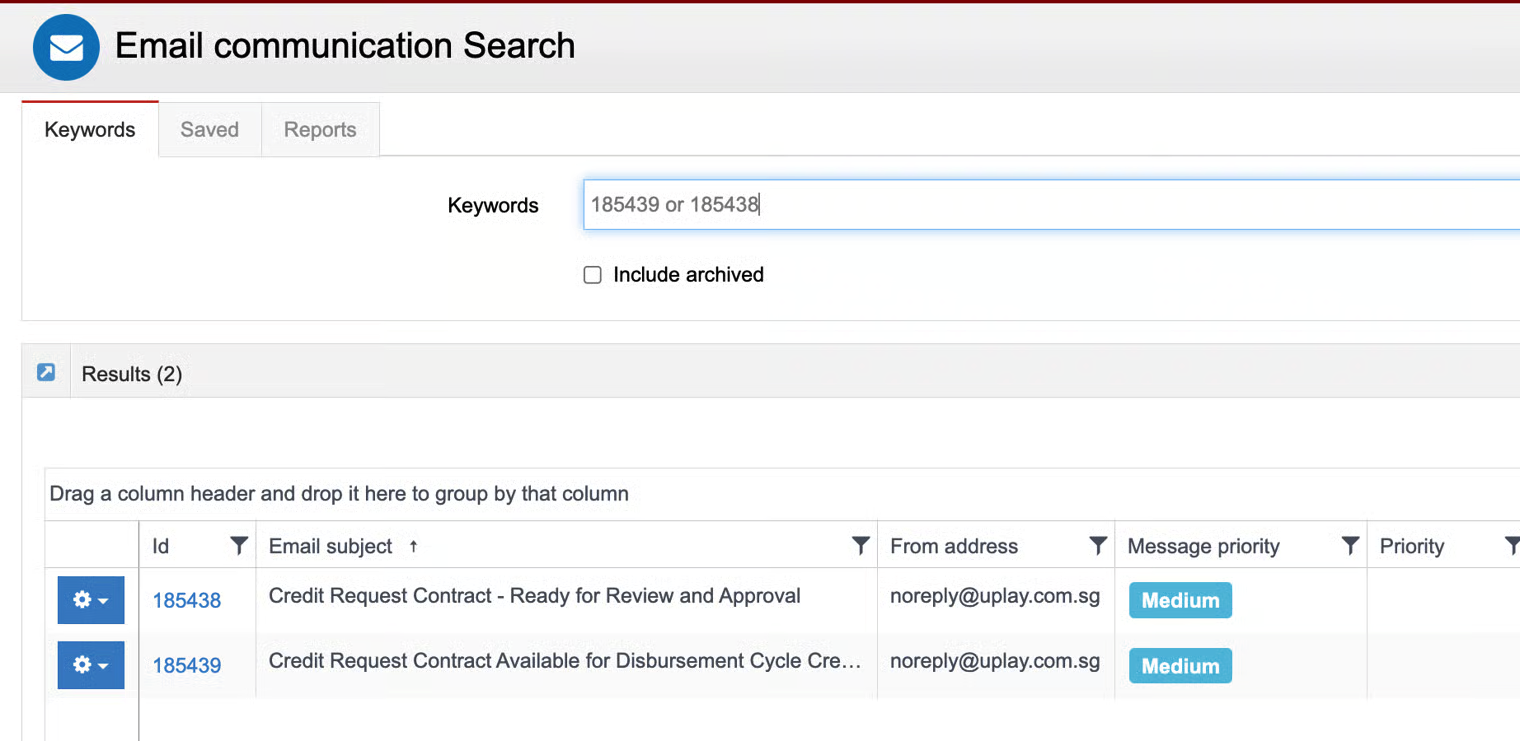
A one-time setup email notification to inform the finance team about a credit request contract that requires their approval is completed in the Administration - Email Communication module in Avalon.
This email notification will be sent to the UPlay finance team when the admin updates the contract's content item status to 'Published - Unlisted' for approval submission.
B. Client HR
A one-time setup email notification to inform the client HR about a credit request contract that is available for distribution cycle creation is completed in the Administration - Email Communication module in Avalon.
It is a standard format that applies to all UPlay corporate clients and merchants who enroll in the credit request contract program.
This email notification will be sent to client HR upon the UPlay finance team's approval of the credit request contract in Avalon.
C. Client Employees
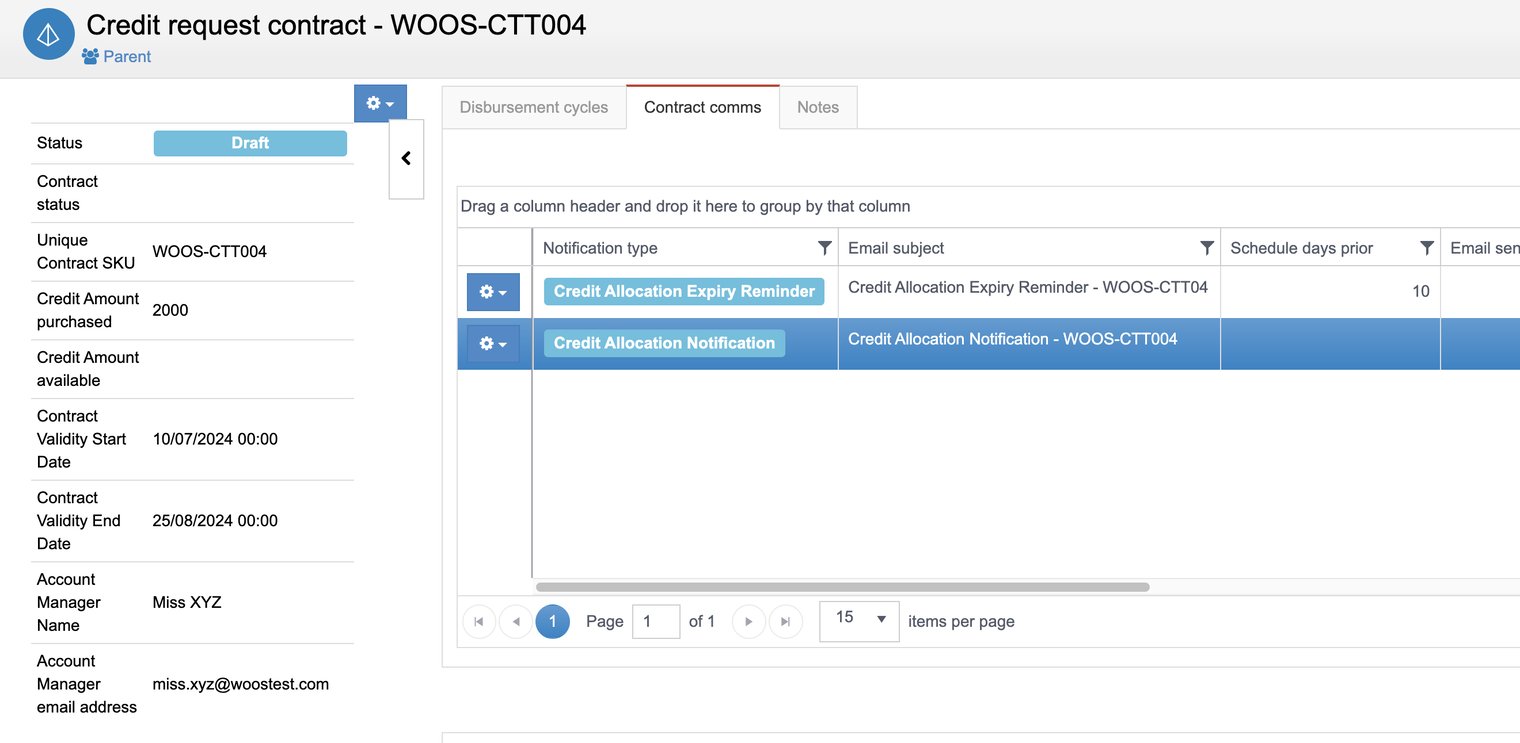
The contract comms tab is available at the contract level. Therefore, the admin must create email communications for each contract, allowing flexibility to format them according to the client's requirements.
Client Employees Email
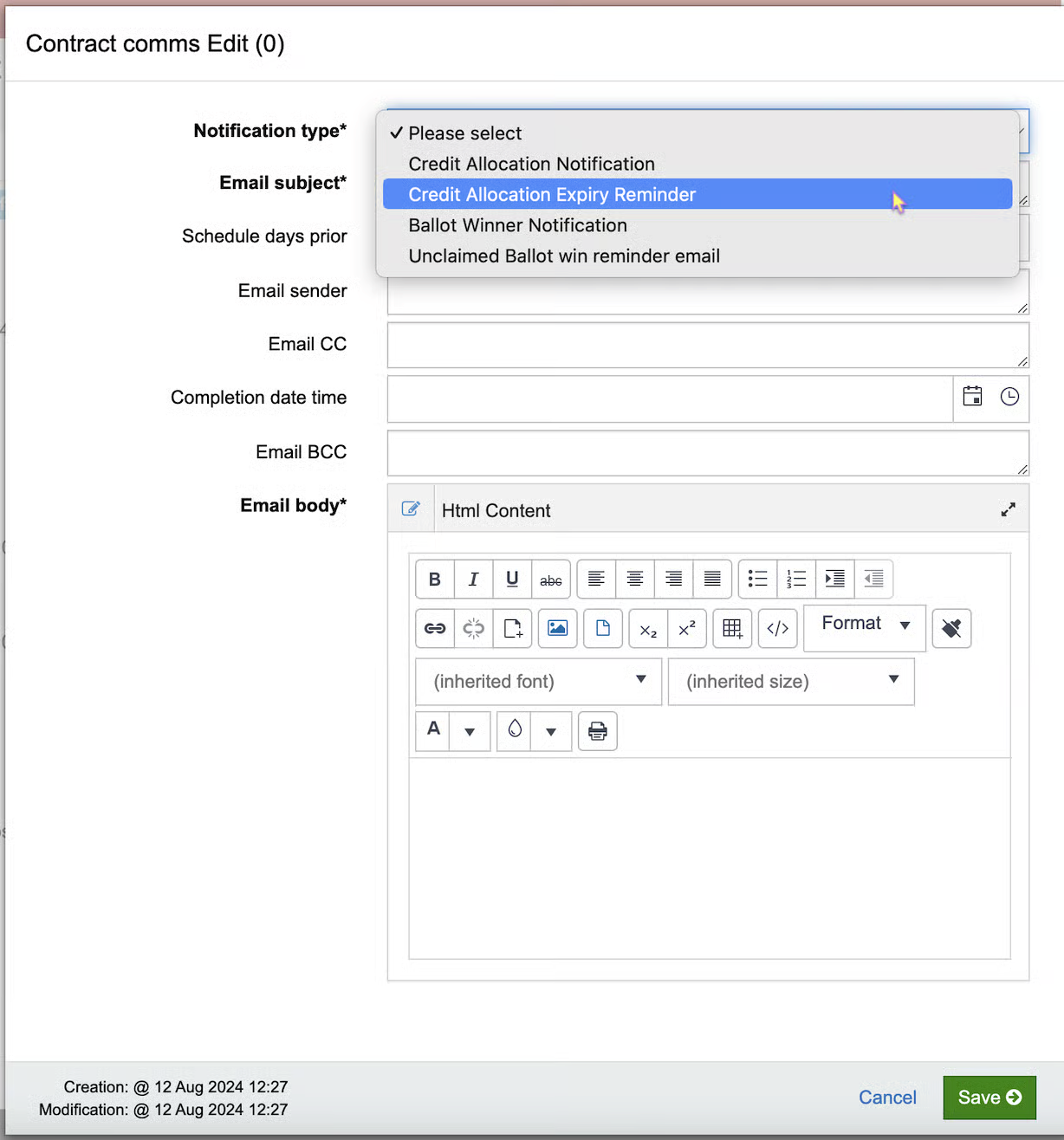
Navigate to the contract comms tab. Click the +New button.
There are two types of notifications:
Type | Purpose |
|---|---|
Credit Allocation Notification | Notify employees when the client HR publishes the disbursement cycle (credit allocation to employees) in the B2B portal. |
Credit Allocation Expiry Reminder | Notify employees when allocated credit is about to expire.
|
Email Notification Setup
Finance Team and Client HR email notification setup
Contract Comms Edit
Client Employees - Contract Comms edit screen
Client Employees
Client Employees - Contract Comms
Note:
Credit Allocation Notification is sent to employees on the day of the Distribution Cycle start date at approximately 9.00 am (0900 hrs).
Credit Allocation Expiry Reminder is sent to employees at approximately 9:00 pm according to the set schedule: For example, the scheduled prior days = 1.
Example:
(a) The Distribution Cycle end date is 7 Nov.
(b) The expiry reminder email is sent out on 6 Nov at 9.00 pm (2100 hrs).
(c) The Distribution Cycle and Allocated Credit expire after 7 Nov at 2359 hrs.