Active Sessions
keep track of where your account is being accessed,
identify devices you no longer use,
and quickly sign out of sessions you do not recognize.
your mobile phone,
home laptop,
work computer,
or tablet.
device type,
browser,
approximate location,
and last activity time.
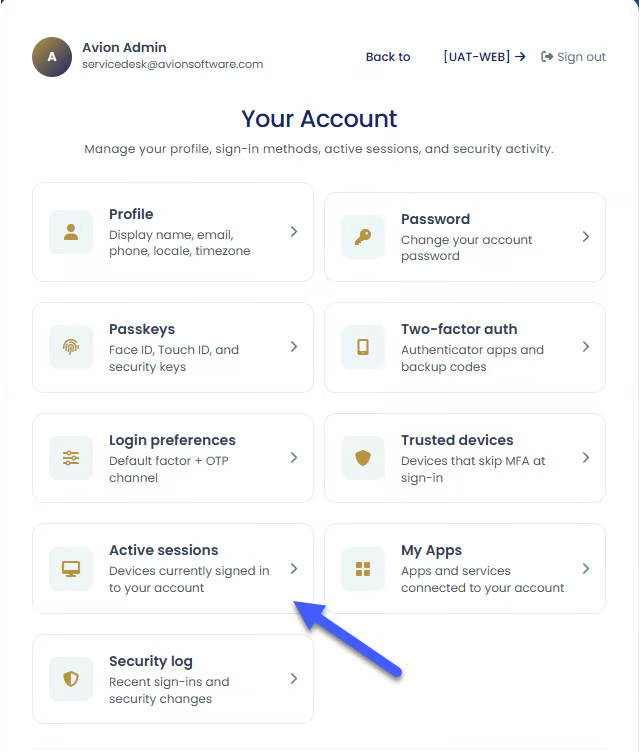
Managing Your Sessions
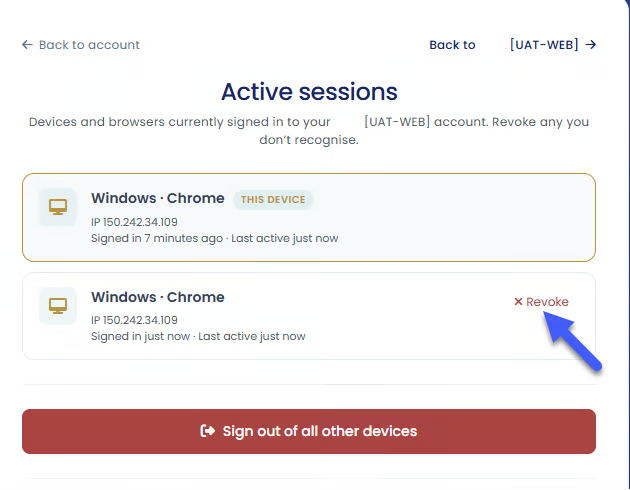
Sign Out of a Specific Session
you forgot to sign out on another device,
you replaced an old phone or computer,
or you notice a session you do not recognize.
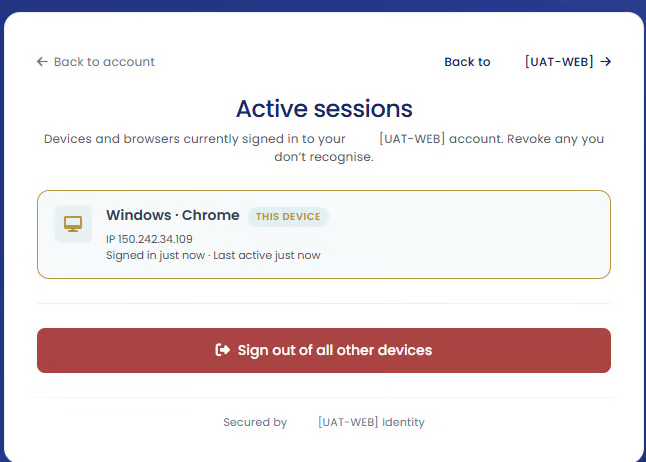
Sign Out of All Other Sessions
you believe someone else may have access to your account,
you recently changed your password,
or you simply want to refresh and secure your account access.
Why Active Sessions Are Important
showing you where your account is signed in,
helping detect unauthorized access,
and giving you control over connected devices.
sign out of that session,
change your password,
and ensure two-factor authentication is enabled.