My Apps
your user permissions,
and the security groups assigned to your account.
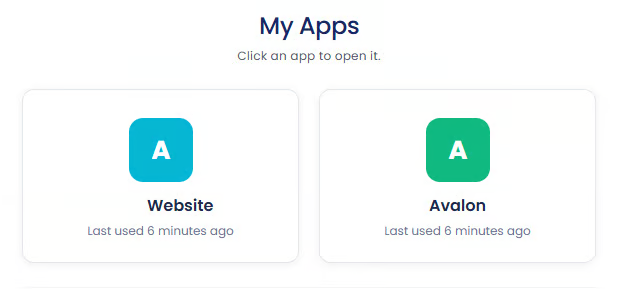
Application Access
users with access to both the Website and the Avalon application will see both applications listed,
while users who only have access to the Website will only see the Website application.
Single Sign-On Experience
if you sign in to the Website,
and your account also has access to the Avalon application,
Signing Out of an Application
Open the My Apps section
Locate the application you want to sign out from
Click the three dots menu in the top-right corner of the application tile
Select
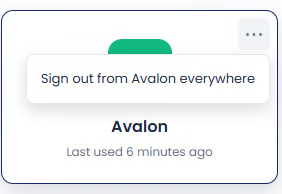
This signs you out of that specific application across all devices and sessions associated with your account.
Why This Is Useful
quickly check all your authorized applications,
manage active application sessions
you used a shared device,
you no longer use a particular device,
or you want to refresh and secure your application sessions.