Utilize Credits - Total Payable $0.00
This article illustrates how an employee can utilize their reward credits with a $0 payable amount.
Each employee can be awarded a single or multiple reward credits. All reward credits are viewable in their UPlay account profile.
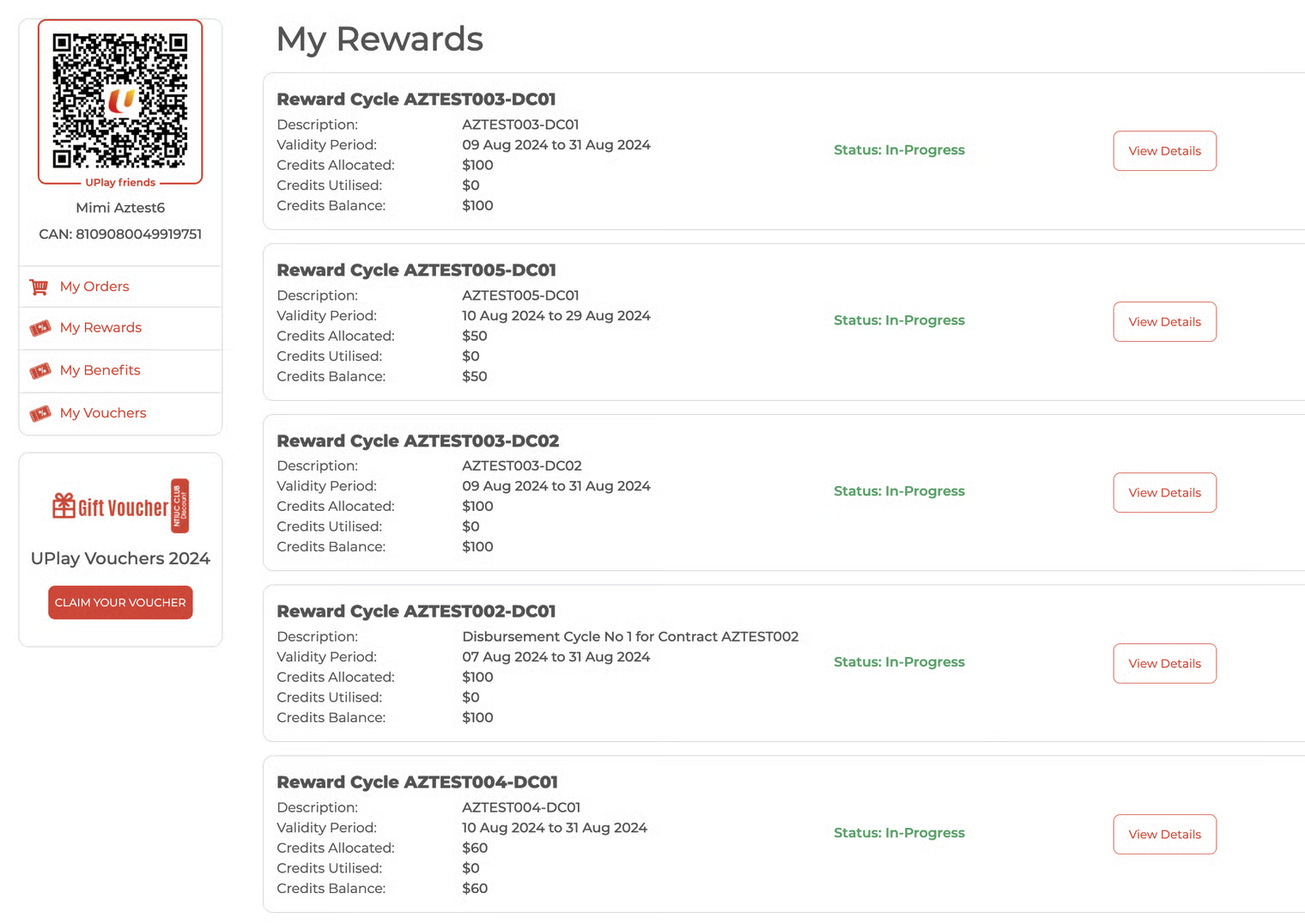
The employee browses the UPlay Package website and adds packages(s) to the shopping cart.
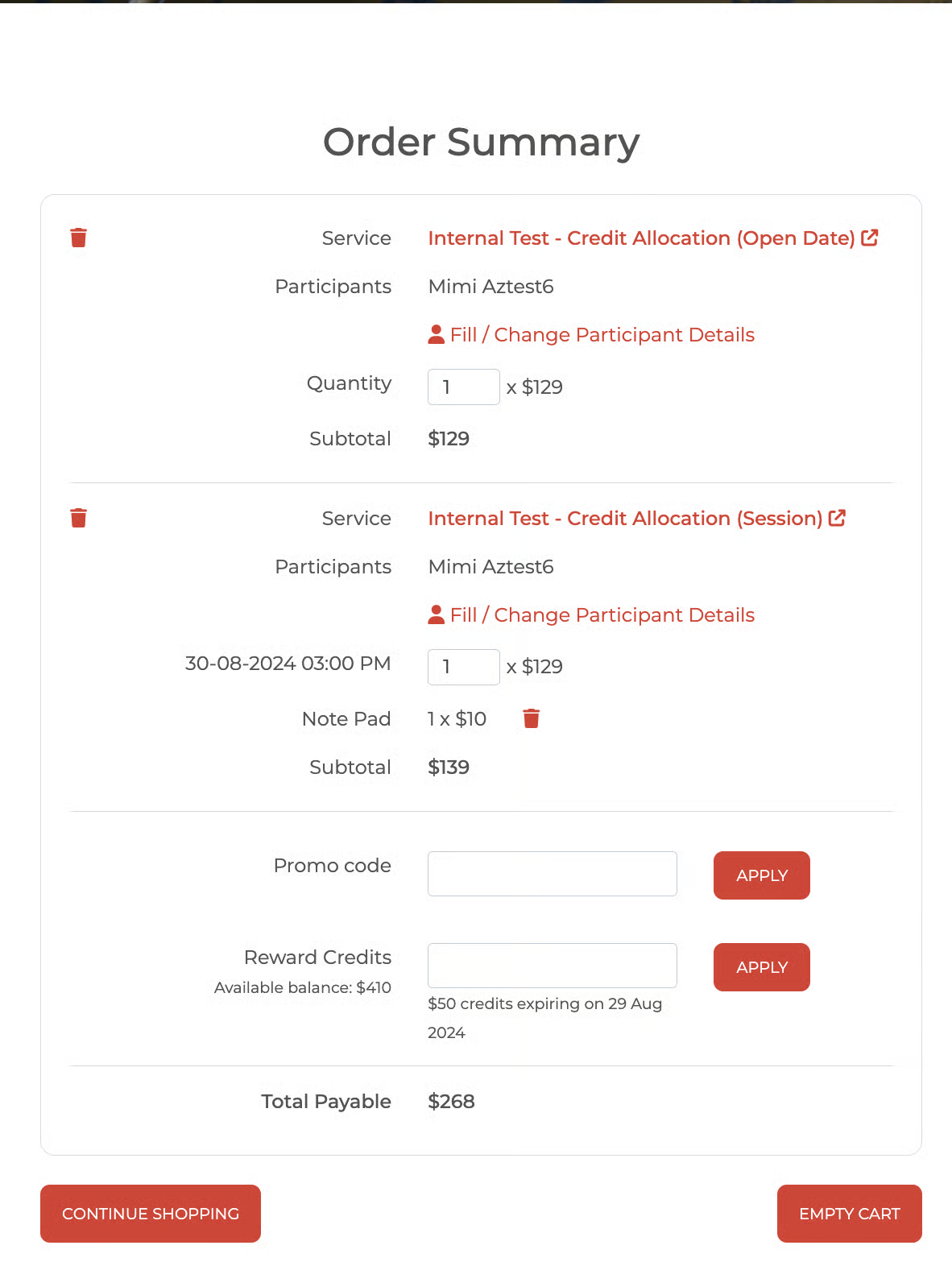
Employee goes to Cart, at the 'Reward Credits' field, and enters the credit amount to apply for that purchase and sees the following:
a) Total Available Balance (all Reward credits)
b) How much credit amount is expiring, and what is the earliest expiration date
The employee has two types of Reward credits:
(a) $10 expires on 10 July, and
(b) $20 expires on 30 July,
the information on the summary page is a $10 credit expiring on 10 July
*in the image example below:
- Promo code field
- Reward Credits field with 'Available balance: $410' and $50 credits expiring on 29 Aug 2024*
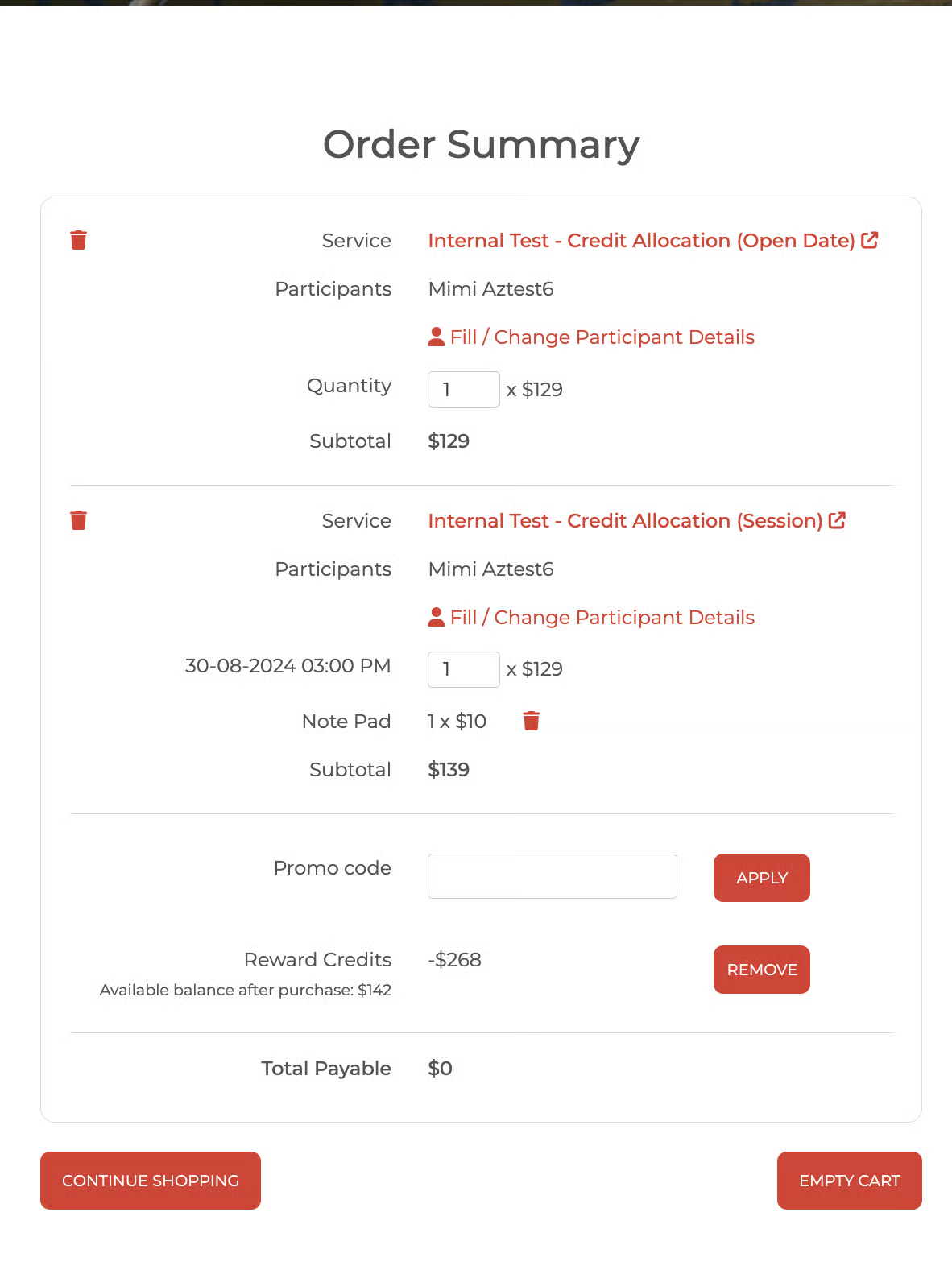
Employee applies a credit amount to a package's price that is equal to or less than the Reward Credit Total Balance. Total Payable = $0.00
For example, If you have $50 in reward credit and want to buy a package costing $40, you can apply up to $40 of your reward credit to cover the total package cost.
The employee cannot enter an amount exceeding their allocated credit balance.
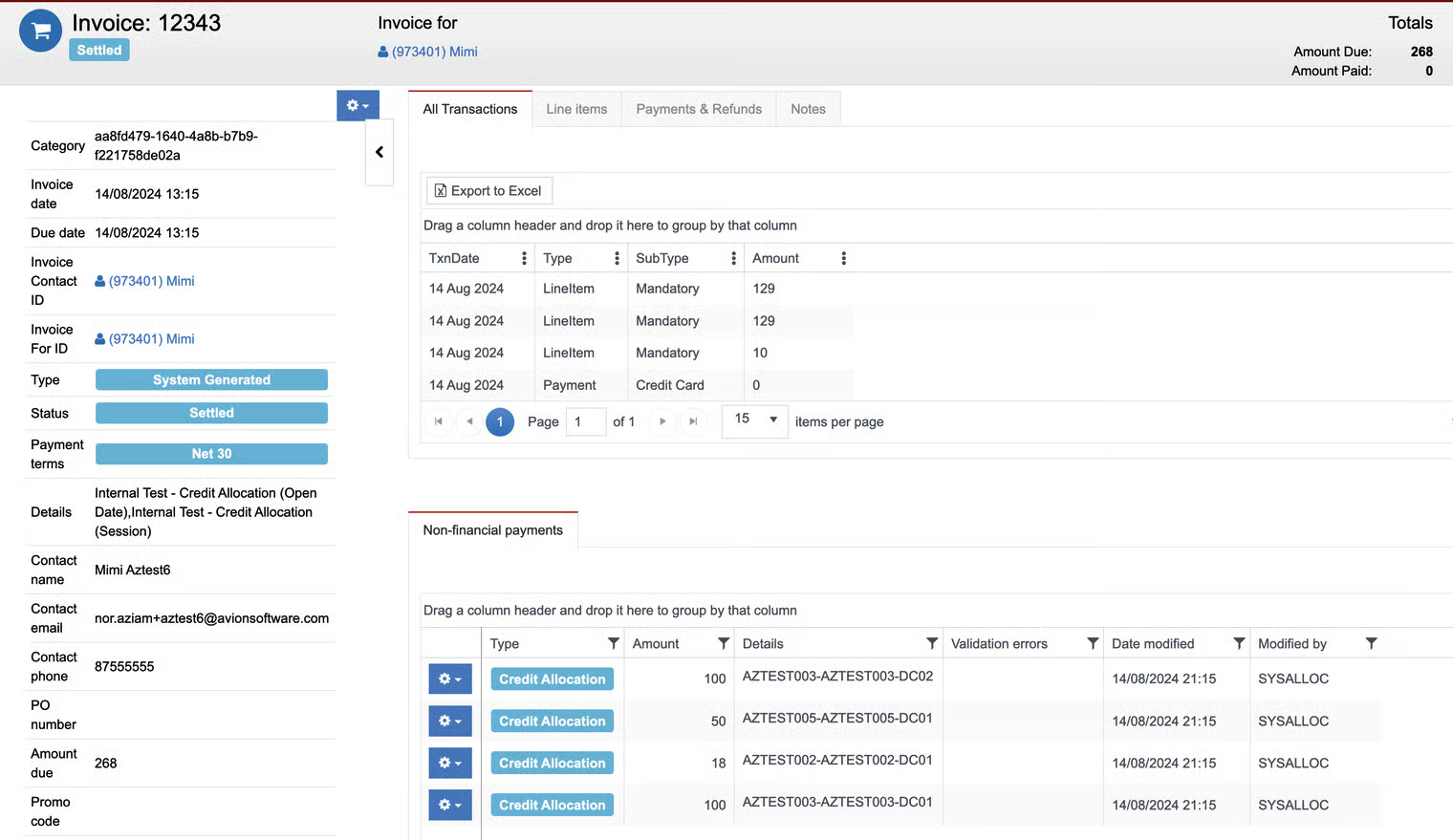
The Employee proceeds to click Pay Now to make the payment, and an invoice is generated.
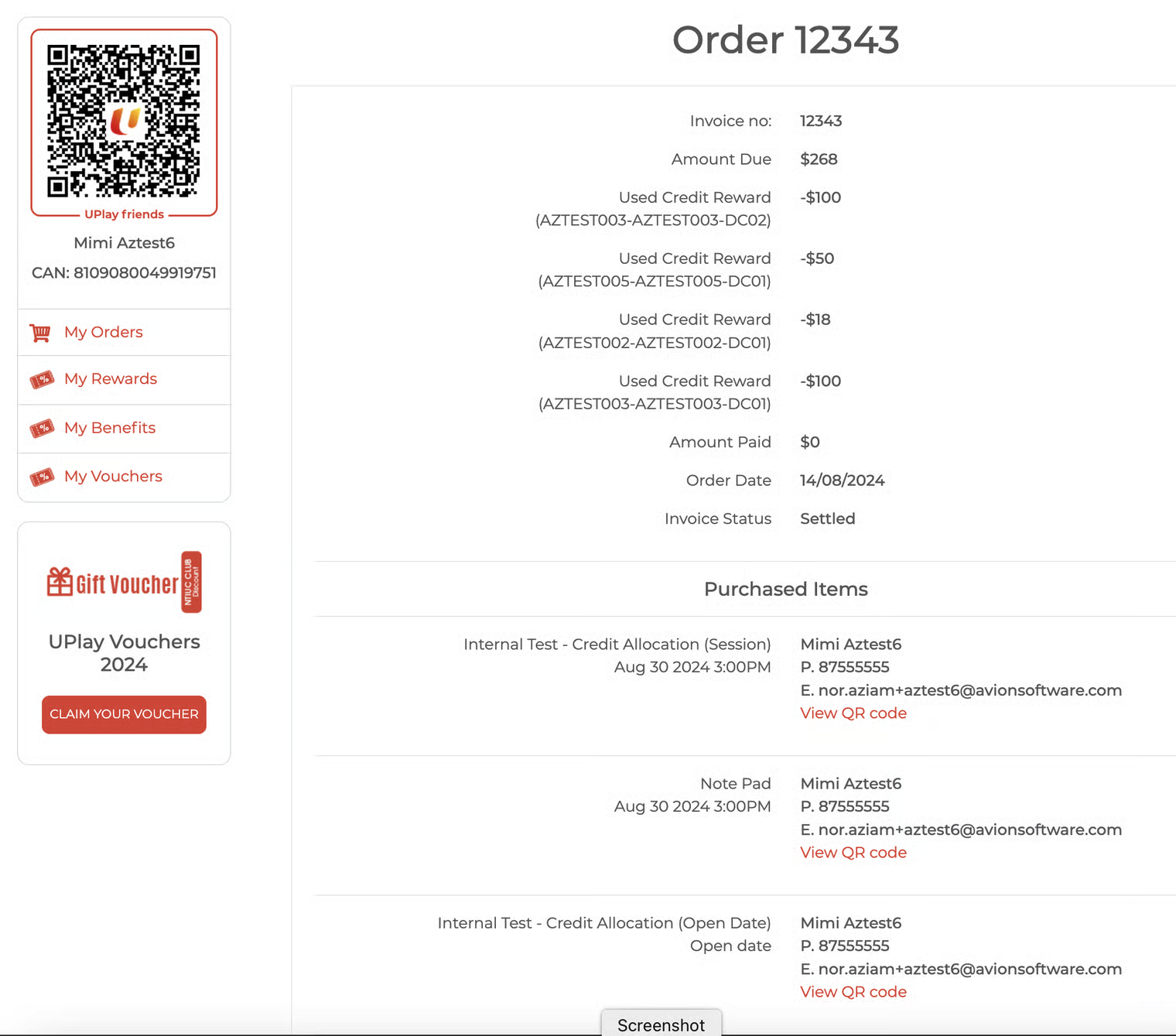
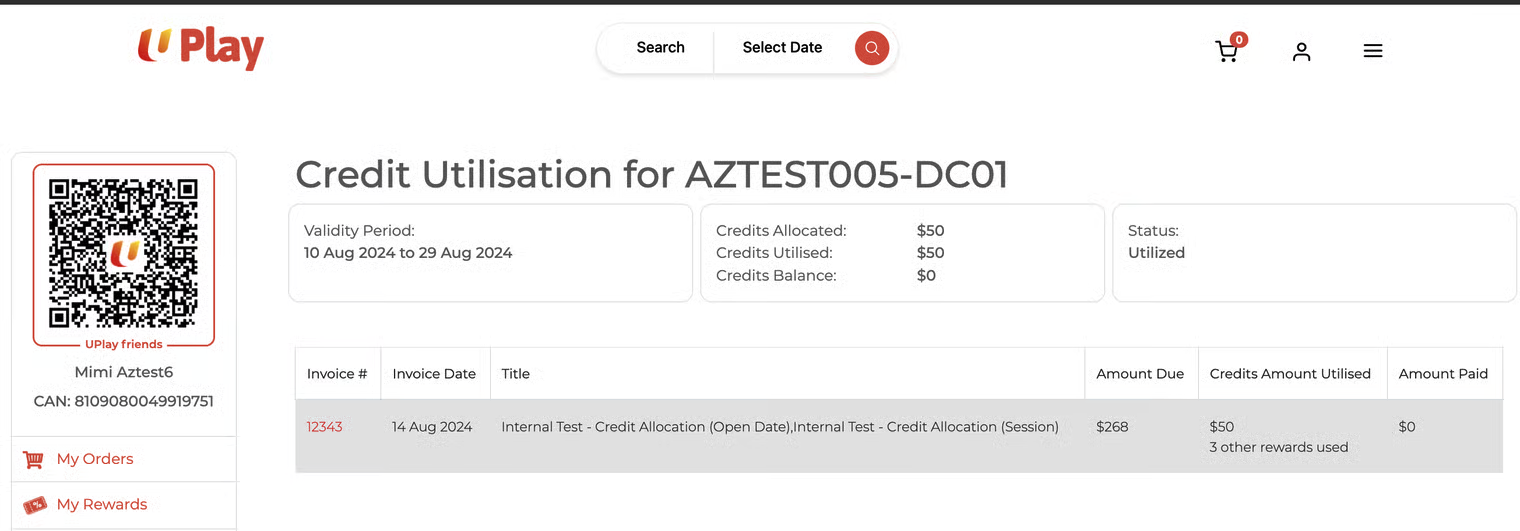
Applied credits are deducted from each respective reward credit and are viewable in the UPlay account profile.
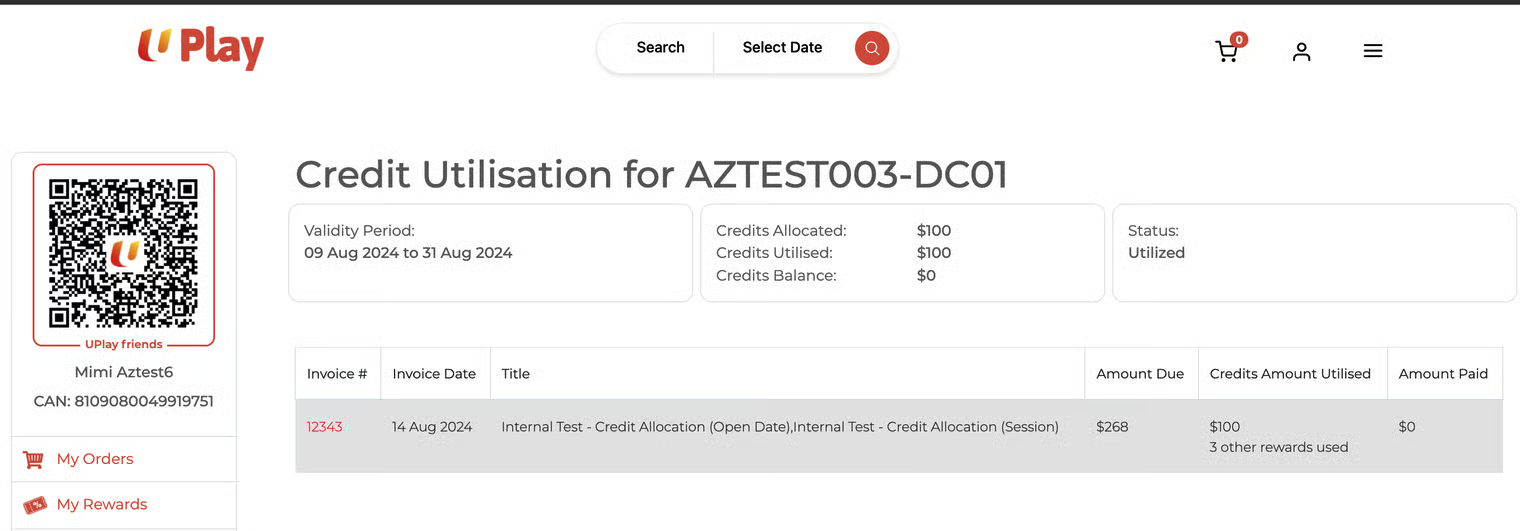
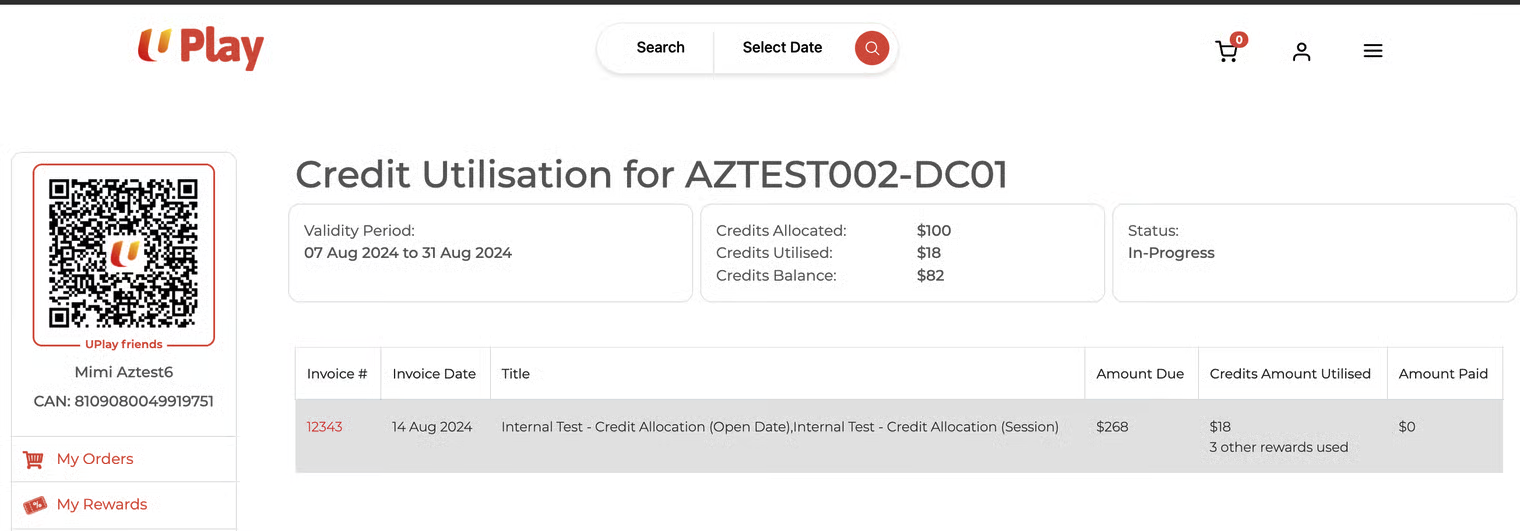
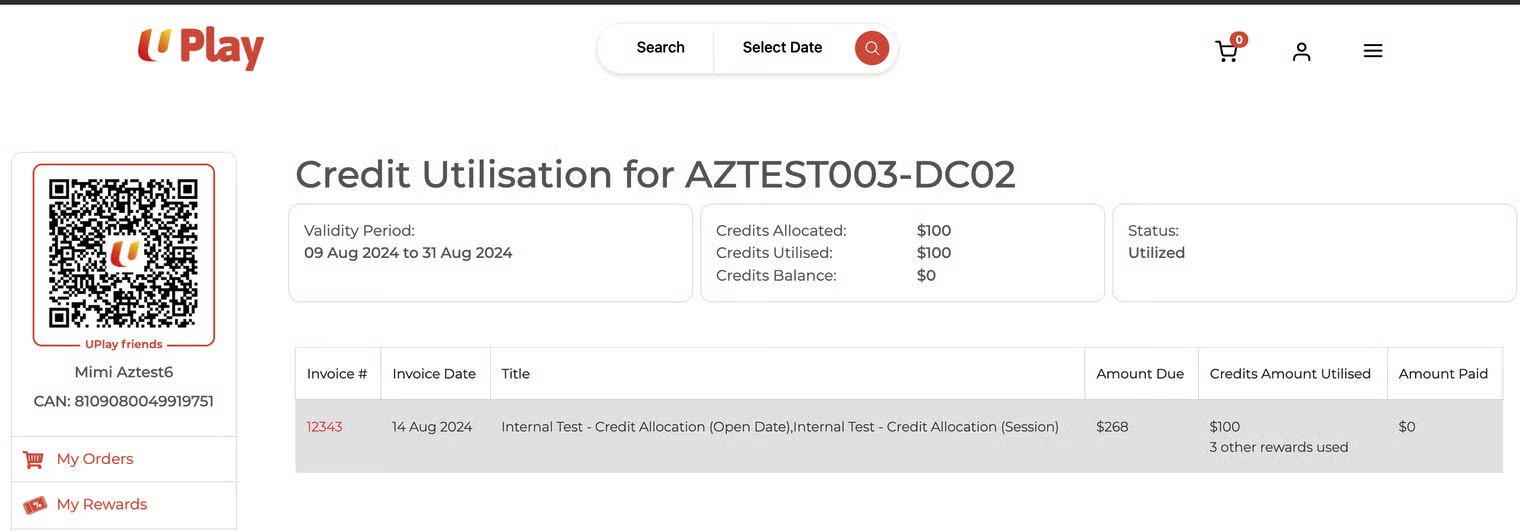
Sidenote
Avalon will also list the credits applied to each invoice.