Docs · Credit Request Tool
← Back to products Login
DocumentationCredit Request Tool › Employee - My Rewards

Employee - My Rewards

When the client HR publishes the disbursement cycle and releases credits to employees, they will receive a credit allocation notification according to the night job schedule. Refer to the contract email notification setup in this article.

Example: Disbursement cycle with a start date = 30 Nov 2024

My Rewards

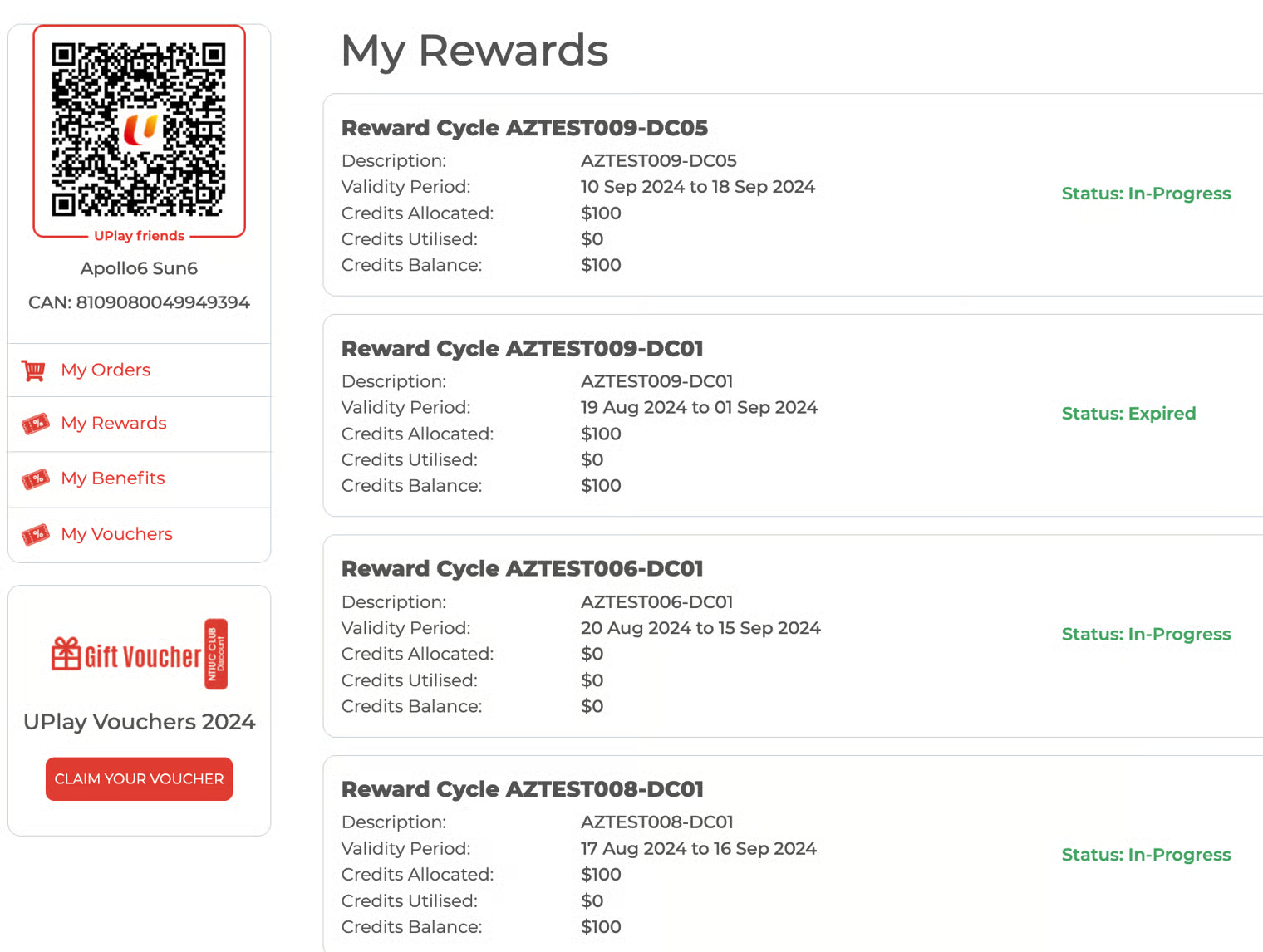
​​Employees log in to their UPlay account. They click on the Profile icon and then on 'My Rewards' to view the credits they have received. My Rewards displays the received credits and their details.

Employee browses the UPlay Package website and adds packages(s) to the shopping cart.

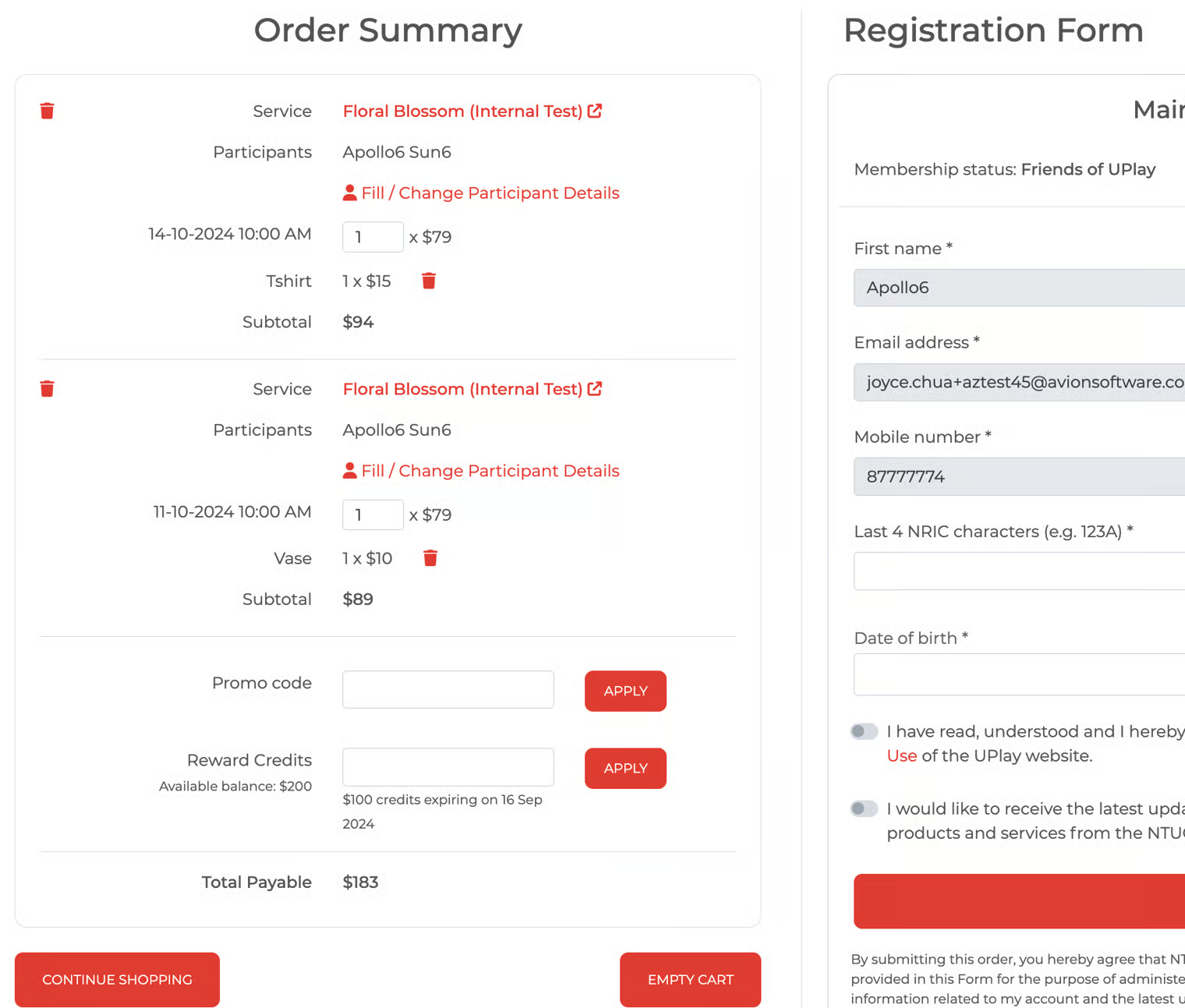
On the Order Summary page, the following details are displayed for the employee's easy reference:

  1. Reward credits available balance

  2. Reward credits expiring amount at a specific date - this is helpful when an employee has a multiple reward cycle with different amounts and different expiry dates.

    • The amount shown here is the valid reward cycle (not yet expired) with the earliest expiry among the list of reward cycles for that employee.

Refer to the images attached below as examples.

My Rewards page

My Rewards page

Order Summary page

Order Summary page

Employee with $200 Available Credits Allocated
Order Summary - Available Balance $200 and $100 credits expiring on 16 Sept 2024