Module status
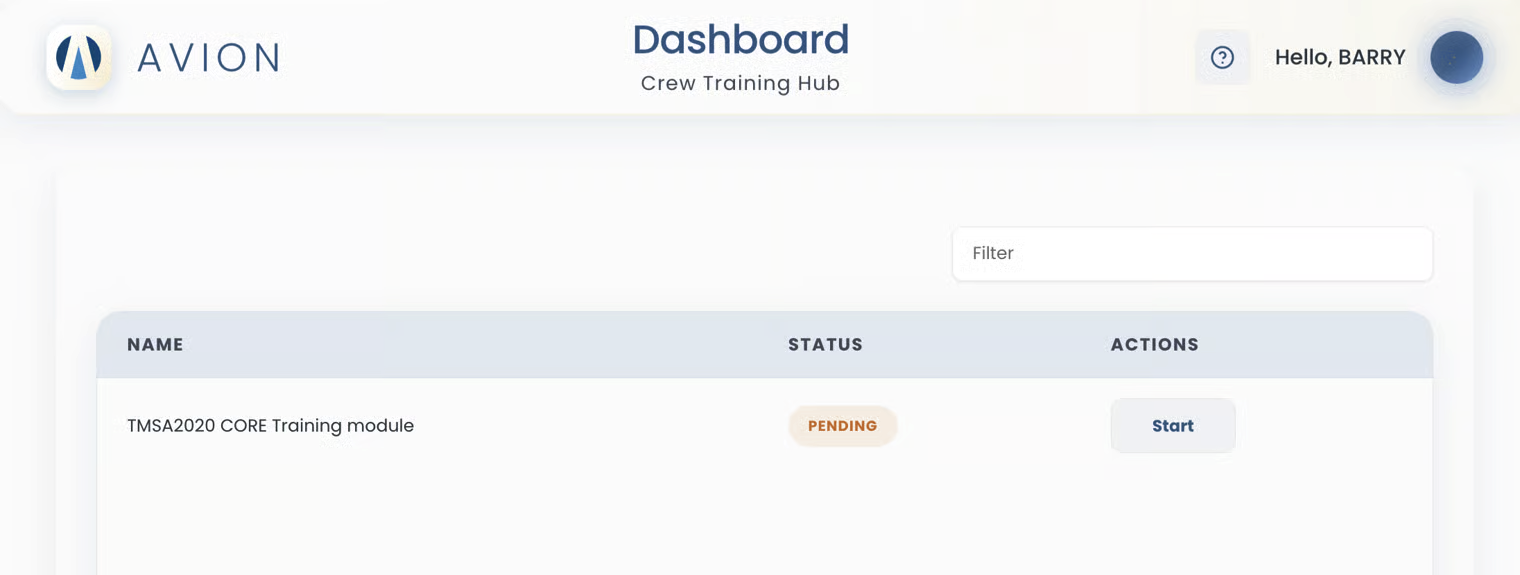
On the dashboard, the crew sees a training list table.
Name column → shows the module(s) the user is assigned to complete.
Status column → reflects the current state of the training.
Action column → where the user can click Start or Continue.
Each training module displays a status to indicate progress:
If the crew has not yet started a module, the status will show as "Pending".
This means the training is assigned, but no progress has been made yet.
As the crew begins, completes, or stops training, the status changes to "In Progress", "Completed", "Expired", or "Canceled" — depending on whether the crew or the system takes the action.