Documentation ›
Staff Balloting ›
B2B Portal - Ballot Contracts ›
Create Recurring Ballot 🔄 ›
Client HR - Make Recurrent Ballot
Client HR - Make Recurrent Ballot
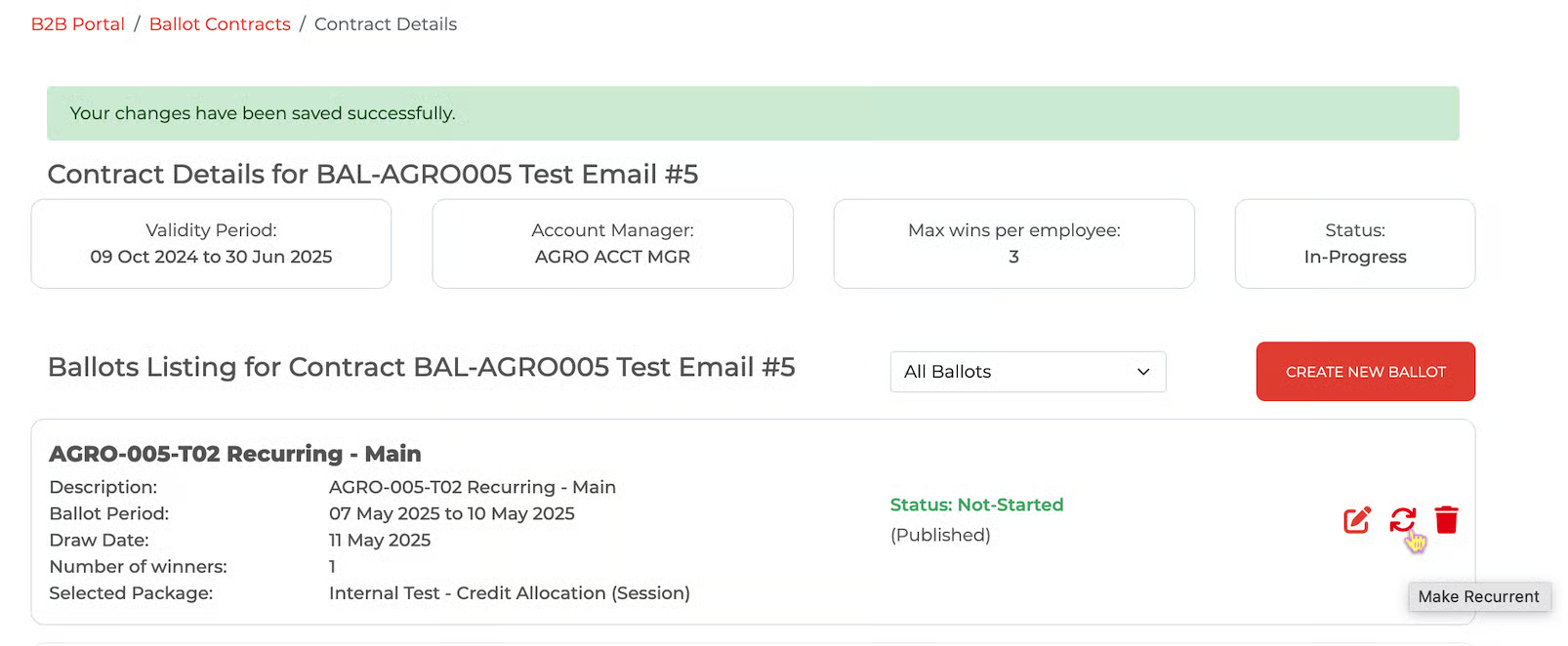
Go back to the contract details page (where a list of ballots is listed) - on each ballot, there is a 'Make Recurrent' button (two arrows forming a circular shape)
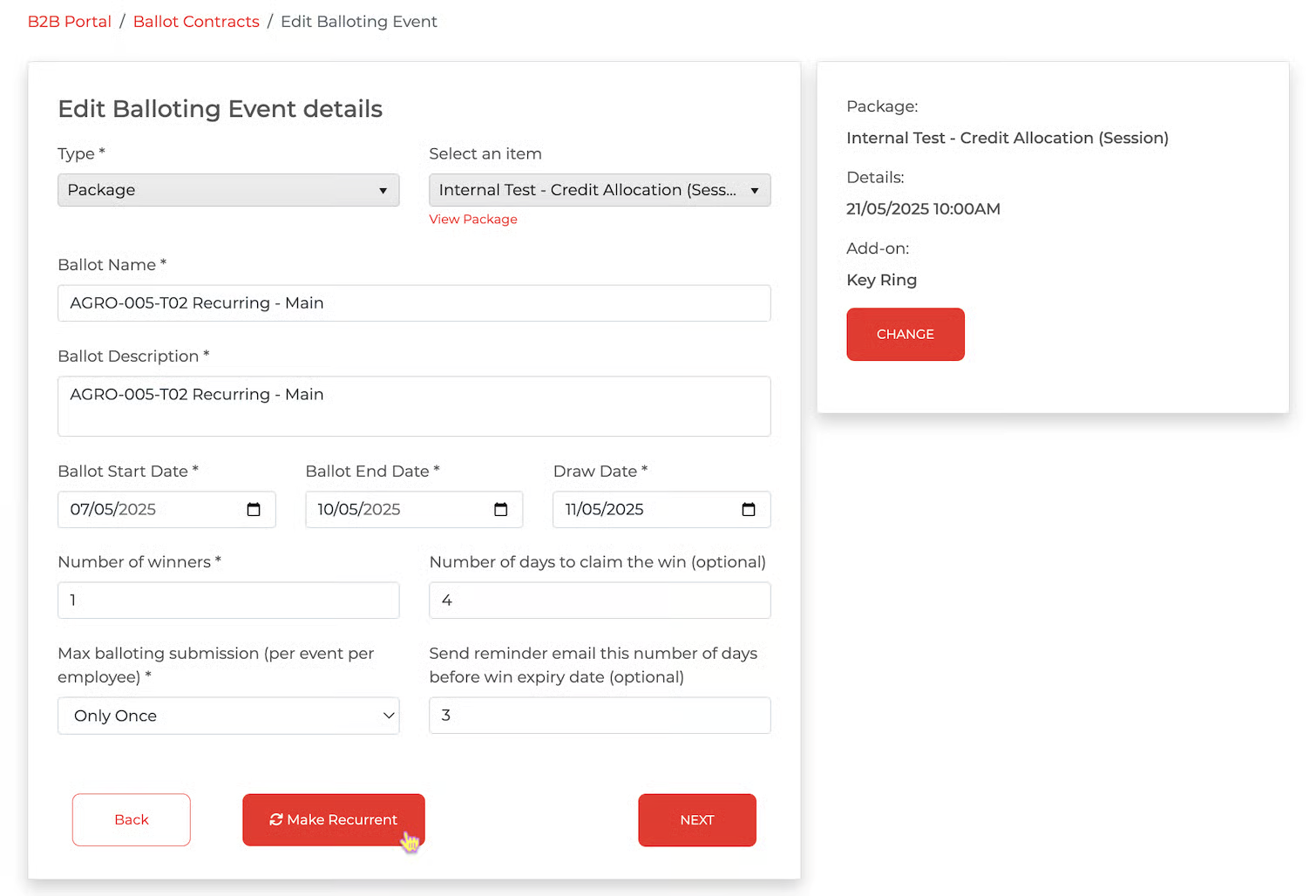
or click on the 'View/Edit Details' button; the ballot details page will open, and a 'Make Recurrent' button will be available.
To create a recurring ballot or multiple recurring ballots, click this 'Make Recurrent' button.
A 'Create Recurring Schedule' page for that ballot will appear.
Option 1 - Make Recurrent
Option 2 - Make Recurrent