Documentation ›
Staff Balloting ›
B2B Portal - Ballot Contracts ›
Create Daily Submission Ballot Submission
Create Daily Submission Ballot Submission
The steps for creating daily submissions are the same as those for making the 'Only Once' per-day ballot—refer here for the 'Only Once' steps and details.
On the 'Create New Balloting Event' page, the user must select the 'Once a day' option for the 'Max balloting submission (per event per employee)' field.
Click Next and Publish buttons to publish the ballot.
Note: Draw Date *>> The date must be greater than the Ballot end date.** source ASD-54092
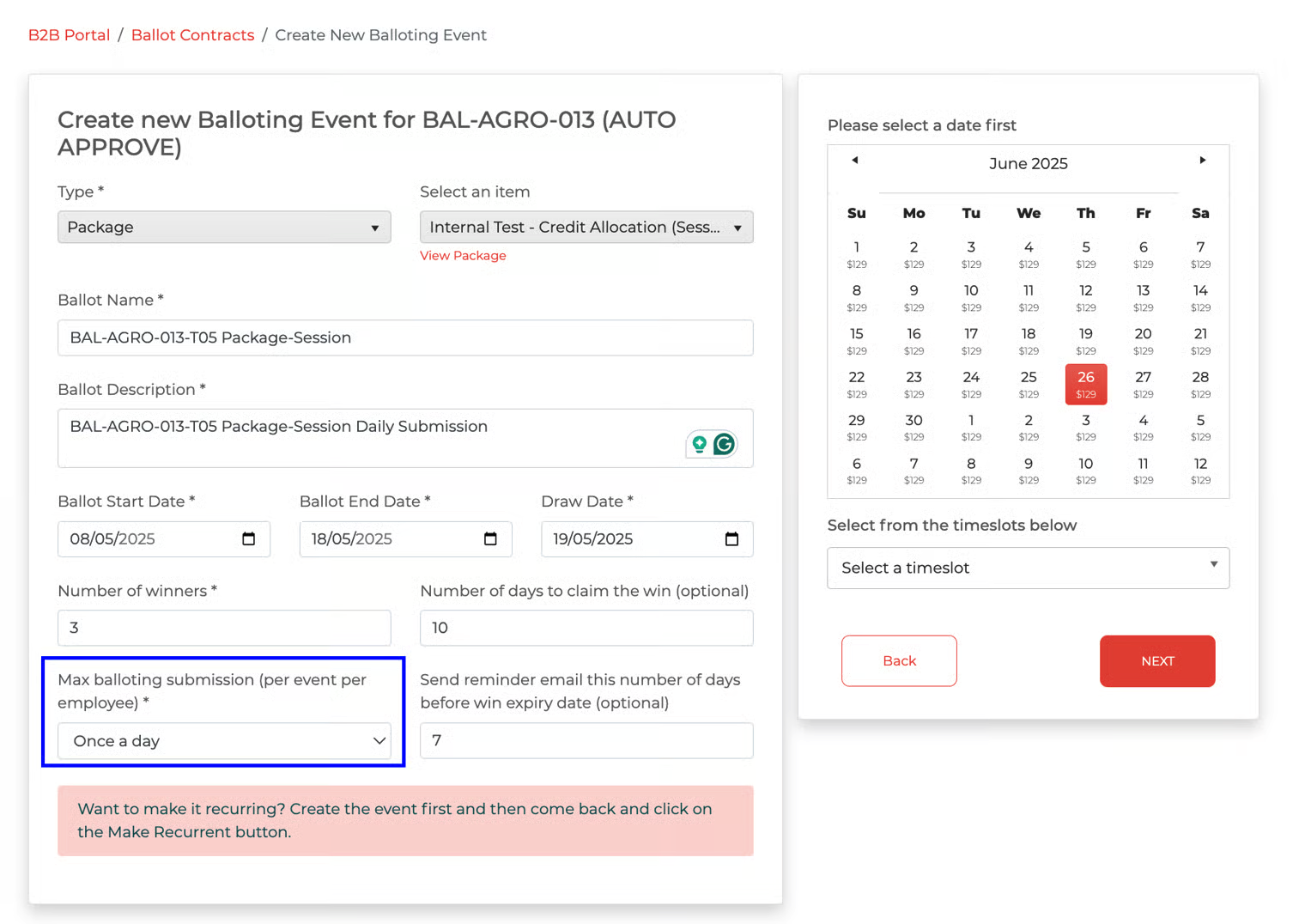
Publish
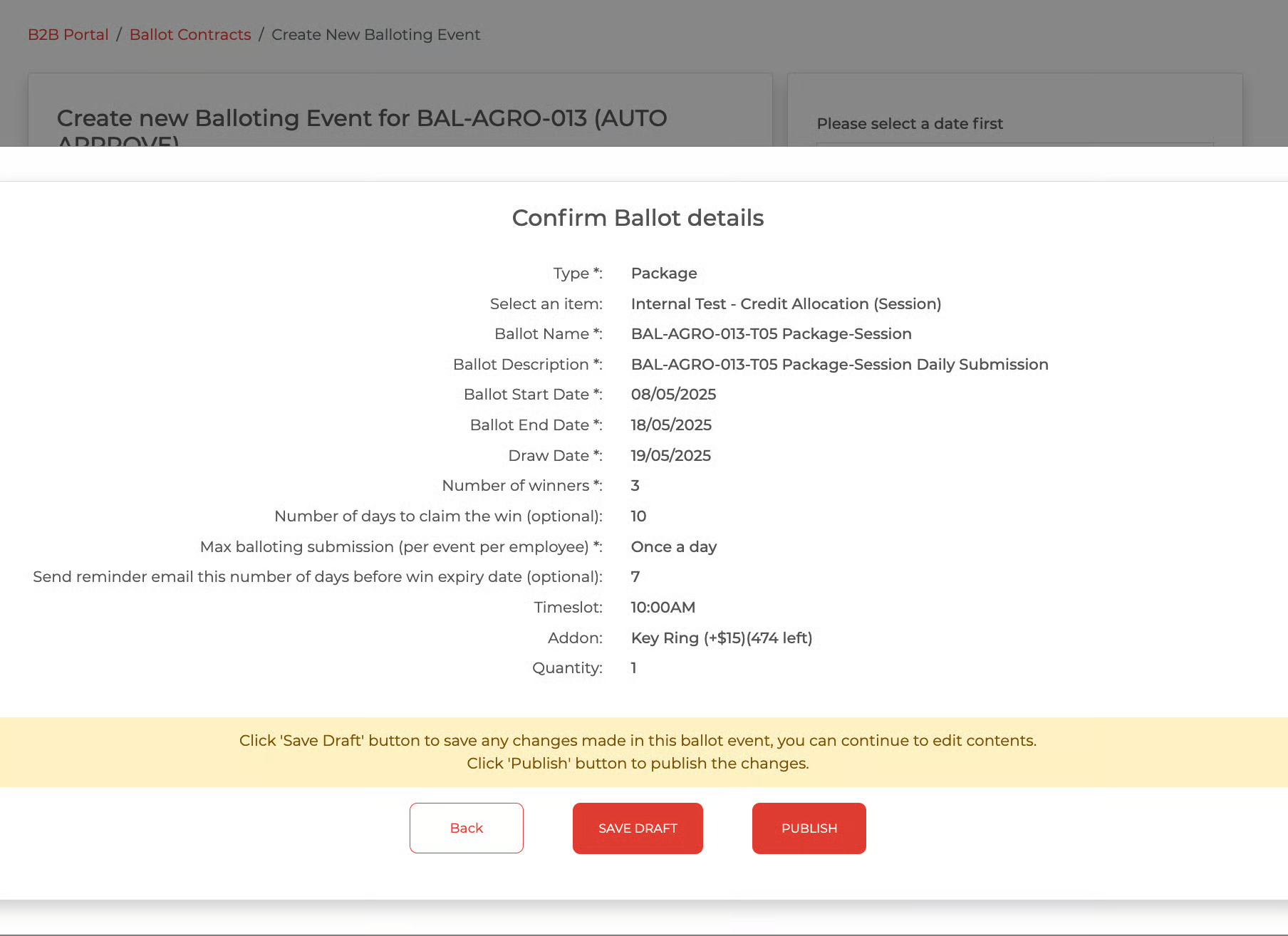
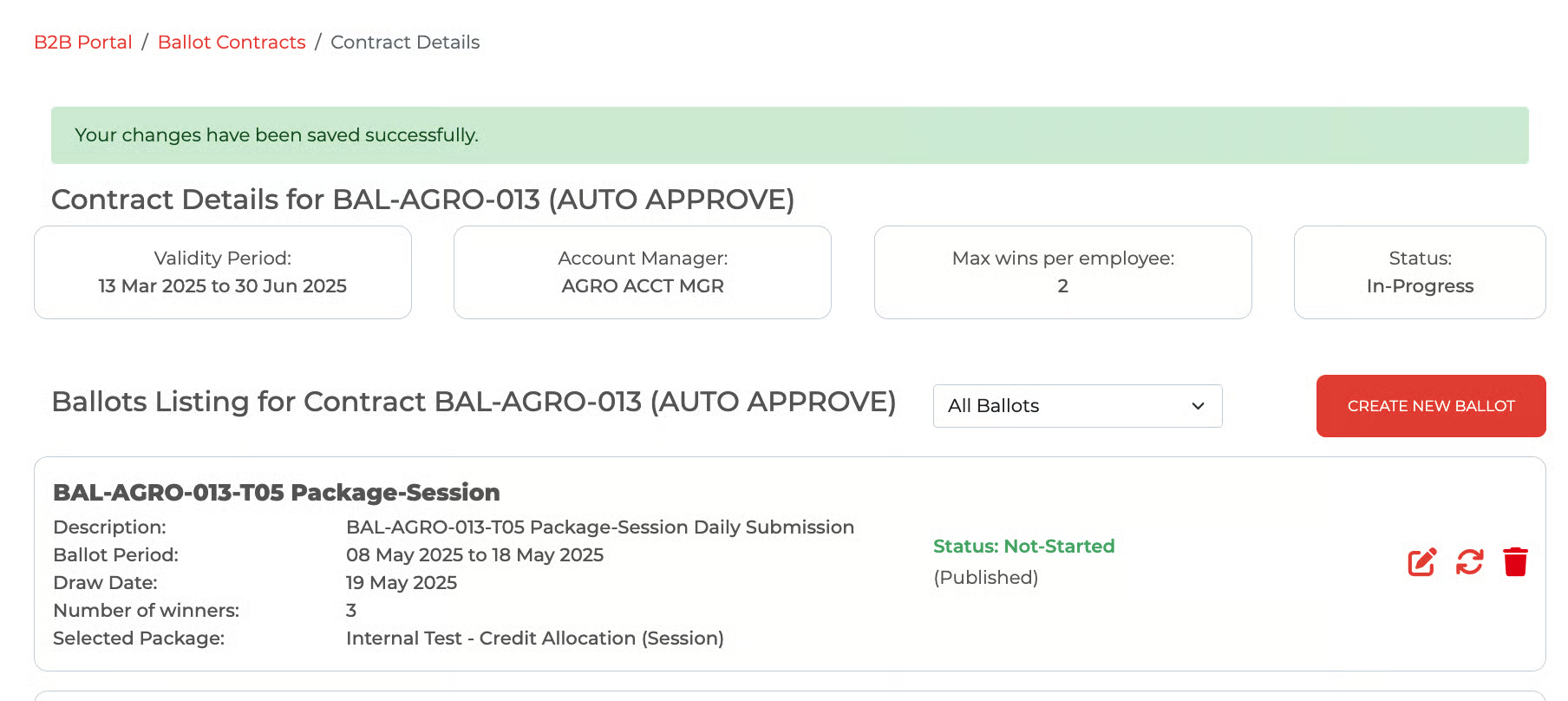
Publish Successfully
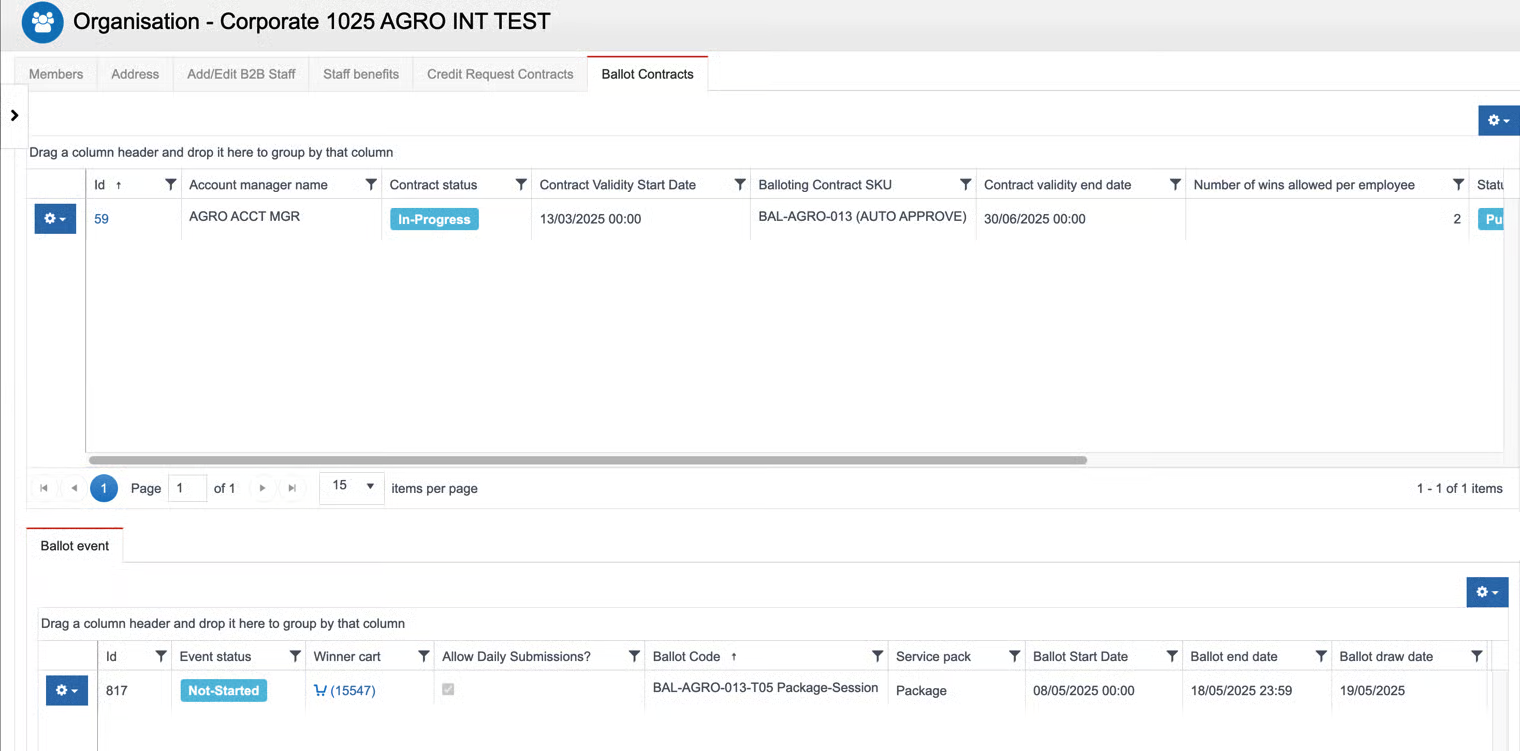
Record in Avalon after the Ballot is created in B2B: